Intel's P67 cock-up has cost the chip-maker around a billion dollars.
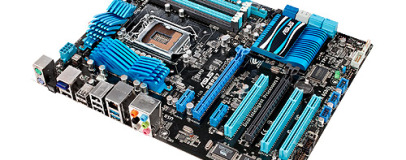
Intel's disastrous start to 2011 looks as though it's now in its closing stages, as the first P67 motherboards with the B3-stepping silicon fix have finally gone on sale.
The
fault present in some of the original P67 chipsets could have degraded SATA 3Gbps performance over time, putting you at risk of data loss and even total drive failures.
According to Intel, the subsequent product replacement operation has cost the company around a billion dollars, with financial assistance being given to affected partners. However, further costs have also been indirectly passed onto other areas of the industry, with some high-end laptop manufacturers claiming the replacement operation had effectively
halved their turnover for the first quarter of this year.
However, most motherboard companies were quick to reassure customers with comprehensive board recall policies, and early adopters can now finally get their hands on a fully working Sandy Bridge motherboard.
A quick look through the motherboards section at
Scan reveals that P67 B3 motherboards from Intel, Asus, Gigabyte and MSI are all now on sale. We've got our review samples in the labs now, and we'll be reporting back on their SATA 3Gbps and 6Gbps performance in full reviews soon.
Most importantly, though, the veil of uncertainty that's shrouded the top-end PC industry for the last two months is finally lifting, and soon you'll be able to build an awesome Sandy Bridge powered PC without worrying about your hard disks dying.
Are you waiting for a P67 motherboard to be recalled? Have you been holding out for B3-silicon boards before upgrading your system? Let us know in the
forums.

66 Comments
Discuss in the forums ReplyNow lets get on with building some top notch kit!
they claim they are in stock now...
http://www.scan.co.uk/products/asus-p8p67-pro-rev3-intel-p67-s1155-pci-e-20-x16-ddr3-2200%28oc%29-sata-6gb-s-sata-raid
i have one thats part of a big order i put in on friday last week, when they also said there was stock available, only to get a "Delayed Order Notification". which is a little disappointing, as scan have usually been pretty good with their in stock/not before.
Intel Core i7 Quad Processor i7-2600K
3,4GHz, Socket LGA1155, 8MB, Boxed
Gainward GeForce GTX 560Ti 2GB PhysX
PCI-Express 2.0, "Phantom", GDDR5, 2xDVI, HDMI, 822MHz
Seagate Barracuda® XT 2TB
SATA 6Gb/s (SATA 3.0), 64MB Cache, 7200RPM, 3,5"
"placeholder" - Corsair SSD Performance 3 Series 128GB
SATA 6 Gb/s (SATA3.0), 410MB/210MB/s read/write, incl 2,5" to 3,5" bracket (Will most likely buy OCZ Vertex 3)
Fractal Design Define R3 Black Pearl
Vifter: 1x 120mm Front, 1x 120mm Bak, Lydabsorberende, ATX, mATX, mITX (Will this fit the two graphics cards?)
3 x BenQ 24 LED G2420HDBL
1920x1080, 5000000:1, 5ms, VGA/DVI
Corsair AX 850W PSU
ATX 12V V2.31, 80 Plus Gold, Modular, 4x 6+2-pin PCIe, 12x SATA
Corsair H70 Hydro Series CPU Cooler
Socket 775/1155/1156/1366, AM2/AM2+/AM3, 1600~2000 RPM, 120mm fan
G.Skill - [ Ripjaws-X ] F3-12800CL7Q-16GBXH
DDR3-1600 (PC3 12800), Intel P67, CL 7-8-7-24-2N, 16GB (4GB x4)
3 x BenQ 24 LED G2420HDBL
1920x1080, 5000000:1, 5ms, VGA/DVI
All I'm missing is the mobo, any suggestions on that? Been a while since I buildt a system.
Other improvements are also welcome:D
I can now finally install that Dark Rock Advanced cooler I've been holding on to and perhaps delve into some overclocking...
Brilliant Novatech - even though ASUS told me I wouldn't have my replacment until May!!!!!
except Novatech as far as i can see.
I maybe wrong but dont you need 2 nvidia cards to get 3 monitor support?
price summery for OEM 2600k
Novatech: £235
OCuk: £239
Scan: £239
Aria: £245
but before B3 chips were released, most websites i've seen are all at £235 inc VAT.
Will bit-tech.net be reviewing the Asus Sabertooth P67?
Currently I would get the Asus P8P67 Pro or Deluxe but a TUF board might be cool.
Possibly, but I'm building a diy cintiq too so i figured i needed 2 to get 4 monitor ports:)
Dear customer,
We have informed that you purchased the Asus motherboard with the serial number: *****
Due to the recall Asus is able to offer you a replacement for the current motherboard.
At the moment the given time to be able to replace the motherboard for you is in May 2011.
Could you please advise if you are willing to wait until May?
If you are, you will be contacted again when further information has been given regarding the replacement procedure.
If you prefer the sales refund, we have to advise you to return the motherboard back to the reseller."
For example all 10 pieces of P67A-UD4-B3 sent to distributor from where i get the boards were sold on preorders, and date of next delivery is unknown. But slowly through march and april the preorders will be sent out, new customers will buy boards and then the demand will drop, while production will increase.
I'm pretty sure the SATA bug doesn't destroy harddrives, it just destroys the connection to them.
Regarding whether the R3 Define case will fit 2 cards, yes it will. Virtually any Mid-Tower case can hold 2 Dual slot GFX cards.
It's more when your looking at 3 or 4 way SLI/xFire you need bigger cases.
HTH
Anyway, my P8P67 Pro will be ordered next week :) This news is kinda old for those actively waiting the return in stock. But for those just curious may not know.
Cancel the order and re-place.
Even with this pretty huge mistake by Intel, the pressure is massive for AMD and Bulldozer to outperform. The way AMD pr machine shouts from the rooftops before every release, whether its good or not. Don't you think we would have heard from them already if was going to be that good?
Think that was a mistake, I ordered one of those and got a delayed delivery notification. Still waiting for it to come into stock despite the ETA being "today" yesterday :D
http://img200.imageshack.us/img200/5098/gigabyteq.jpg
I like the sticker product number. I had Asus with something like this too (P5K-E/WIFI-AP, which was based on other board, just different feature set and same PCB).
I would have bought EVGA, but they are still sleeping, so no EVGA this time.
Thank you, but I was wondering if it would fit length wise not height wise ;)
Length of what ? 560Ti ? Do you realize Define R3 has no problems with HD5870 length and with some forcing even 5970 fits.
no offense, but you shouldnt blame the board due to your lack of OC skills. you simply need more voltage somewhere.
i have the same board (minus the b3 p67) and i barely had to push to get to 4.5ghz prime stable.
RAM is at 1.53V, with 1.5V set in BIOS and 1.5V needed for RAM. Memory controller voltage is at default (1.05V), pushing it to 1.15V made no change. Still BSOD code 124 for anything over 4.3GHz.
Right now i run at 4.3GHz voltage set to normal + DVID+0.000V, this pushes the CPU to the previously mentioned 1.3761V and this one is stable (5 hour uptime so far). This is with everything turned on except turbo (means HT, EIST, C1E, C3/C6 on).
I tried with C1E/Turbo/Hyperthreading/Overheat protection turned off, voltage set to 1.4V (1.38V real), memory controller at 1.15V, memory voltage at 1.6V, everything else left at defaults. 4.4GHz random BSOD, 4.5GHz random BSOD, 4.6GHz random BSOD, 4.7GHz random BSOD, 4.8GHz Windows fail at boot.
Maybe it needs more than 1.38V real for more than 4.3GHz, but i'm not willing to send my 2600k to RMA in 2 weeks because of more than 1.4V VCore.
If you have so much knowledge then please, tell this stupid man with no OC skills where is he making a mistake.
taking on a patronizing tone will get you nowhere ;)
What voltage is the one you are refering to ? Setting Vcore to 1.45V ? No thanks. I want to use my cpu for more than 2 weeks.
Edit: And don't forget i talk about 2600k, which means hyperthreading turned on. That is something you don't have on 2500k, which can also affect the stability of OC (and it can show up bugs in board which are not present with 2500k).
Edit2: And you know, the worst part is that you boot at 4.6GHz no problem. Start OCCT and run Linpack for a hour, no problem. You start idling, no problem. And then later, just for fun, it BSOD's out of nowhere, with no reason. If it would be predictable like "ok, it fails at load" or "ok, it fails at idle", then i say it's fine, i know where the problem is. But when you have voltages pretty much maxed out, it is ok at idle, it is ok at load, yet it is doing BSOD and someone says "you simply need more voltage somewhere", it makes you at least irritated.
if i were you, i would start over. loosen your RAM settings considerably to rule that out. turn off all power saving features and HT. since my fiancee is on her computer ATM, i cant go through and check what settings im running, but i know its only running a 1.35 vcore. whats your vdroop look like? my board has a pretty high droop even with LLC enabled.
http://img27.imageshack.us/img27/6332/43ghzr.png
If you mean what is the voltage when i had fixed voltage set in BIOS, then it was 1.380V in idle and 1.366V at load when i had 1.4V set in BIOS.
thats what i meant. thats a much better vdroop than im getting with my board. is that with LLC enabled?
BIOS Settings are :
http://img219.imageshack.us/img219/9600/imag0007sq.jpg
http://img580.imageshack.us/img580/9176/imag0008nl.jpg
http://img52.imageshack.us/img52/7140/imag0009na.jpg
http://img838.imageshack.us/img838/9831/imag0010cc.jpg
http://img691.imageshack.us/img691/492/imag0011d.jpg
So now it's down to one of the following issues :
1)Hyperthreading - which would be very unfortunate as this is the selling point of i7 2600k against he i5 2500k.
2)memory controller has serious issues running OC together with memory at DDR3-1333 at CL 7. Considering there is serious difference between CL7 and CL9 at DDR3-1333 (see the bit-tech review), this would be again unfortunate, but not as devastating as issue no 1.
3) virtualization support - to be honest, i forgot to turn this off (didn't noticed it), this is absolutely irrelevant to me, so if it would be this option, then i honestly wouldn't care.
The biggest issue with the BSOD code 124 is that it is pretty much impossible to detect it thanks to the total random nature of it. For example i'm now at 21 minute uptime with settings from these post, but is it really stable ? Won't i get a BSOD after 2-3 hours ?
FYI the CPU can do x48 as it POSTS, just it isn't stable enough.
IIRC, ive also upped my QPI, system agent, and PCH voltages a little from their stock settings.
That is the most frustrating part of the whole thing.
1 hour of prime really isnt long enough to be conclusive. i let it run over night before i begin to get my hopes up for success.
Anything more and it becomes problematic. 4.7GHz is mission impossible (1.40V BIOS/1.382V real at load) is ending in BSOD in 3-10 minutes now, with all features turned off, regardless if HT is on or off. 4.6GHz seems stable for now, testing it with HT on for now (with HT off it went over 30 minutes of Linpack no problem).
Maybe with >1.4V voltage 4.7GHz would be doable too, but as i said, i don't want to kill my CPU in 2 weeks and considering i don't think i would have that bad silicon (especially if it POSTs at 4.8GHz setting, it is just not stable enough to finish Windows booting). So if it is not the CPU, then the only other option is it's the board.
as i said before, testing with HT off will simplify troubleshooting. once you get the system stable without HT, then you can worry about fine tuning it with HT enabled.
i would suggest pushing more voltage to other areas of the system. QPI and system agent voltages for sure.
4.3GHz, everything auto, everything feature and power saving option turned on - works no problem.
So unless i got a super bad i7 2600k, the only other possible source for my issues is the board and the F1 bios. RAM is out of question, i was using it for over a month without any problems on my P55 setup.
4.3Ghz is usable speed for now, will see if the new BIOS will help.
:D
Got confirmation on the 16-mar but still waiting for the payment request.