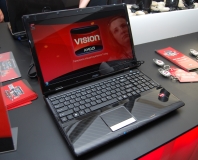
AMD has launched its new Vision branding scheme, which it hopes will help technologically illiterate consumers buy with confidence.
AMD has admitted that most customers don't know what they're buying when they purchase a computer and has today launched a new branding strategy which hopes to provide some more clarity for technically illiterate consumers.
The chipmaker said it will bin its various different labels that appear on its partners' laptop designs in favour of a simple three tiered system known as Vision.
Vision helps to make things clearer and simpler for customers by downplaying technical specifications. Instead, it divides AMD-based laptops into three distinct performance categories dubbed Vision, Vision Premium and Vision Ultimate.
Leslie Sobon, AMD's vice president of worldwide marketing, admitted that consumers don't care about what's inside their laptop. Instead, they just care about what it looks like and what it can do.
"We calculated that we had 221 different brands out there, but the consumer simply doesn't care about what's inside the box," admitted Sobon. "We need to stop talking about processors and start talking about usage."
The three tiers are categorised as See, Share and Create. Entry-level Vision laptops offer basic capabilities for playing music and videos and browsing the internet, while Vision Premium adds support for ATI Stream for video transcoding and DirectX 10.1 for casual gaming. Vision Ultimate adds extra power for video editing and more graphically-intensive games.
While AMD hopes Vision will provide some clarity for mainstream consumers, Sobon said that full technical specifications and information will also be available for those who want it.
Think it's a good idea? Let us know
in the forums.

45 Comments
Discuss in the forums ReplySeriously though, most people tech illiterate. Since when is that news? Sure trying to brand things differently may help, then again the non-techies may just stay confused and not care.
In that case, i really don't see it doing much good, though perhaps it is a small step in the right direction in terms of catering to the masses.
The Purple Shirt is still going to lead the customers to whichever PC earns them the most commission, and then they're going to proceed to lie to the customers about the negative aspects of the PC, and make up everything else, since they generally know very very little.
Your average person is flying blind out there, and buys based on bigger numbers for everything except for price, where they want smaller numbers.
1. What does "Vision", "Vision Premium" and "Vision Ultimate" have to do with usage? They don't suggest that one is good for gaming while the other is good for, say, music editing.
2. They're very vague terms, without any inherent practical meaning.
3. If you're not familiar with the whole Vision scale than seeing any one of these labels won't give you an idea of the PC's relative capability.
Oh god yes. My friend got told an acer aspire one (with linux) was not compatible with either other computers or printers (she was planning to write essays on it when she was in the lounge / out and about, rather than having to sit at her desk). I could have slapped the saleswoman right there and then for pure lies.
edit: back to the topic though, I quite like Microsoft's "Windows Performance Index" score. It's not really relevant to us enthusiasts (but then, neither is 3Dmark with it's 'oh hi, i see you're running nvidia, have an extra 2000 points because they paid us moneys'), but to the average joe it can really help.
Imagine if all PCs had the Windows Performance Index printed on the side. The best tip any of us can give anyone really though is just to ask someone who knows a bit about computers, and never, ever, go to PC world.
Most people can't tell the difference between a USB and an SSD...
I sound so nerdy right now... need to do something cool :p
Hell most people don't even know what they stand for nevermind the difference, plus most people after finding out what a SSD is would refer to it as a hard drive ^_^
This is nothing new though, my dad wants me to build him a computer and I will be going i7/i5 for around £600, now there's no way in hell you could buy a system with an i5/i7 in for around that price point but people who go out to PC World don't realize how much more benefit there is to building a computer, poor lost souls T_T
Indeed lol
You can imagine the board meeting "Noones buying our CPUs!" "That's because they're all STUPID"
Guess they didn't listen to me...
the new scheme is still incredibly vague... but at least they've distilled the vagueness into 3 classy categories!
AMD and Intel PURPOSELY set out to confuse customers years ago. Athlon Xp's not being actual rated speeds, Intel changing to just numbers, AM2/AM3 sockets, xp, xp x2. Will my new x2 fit my old xp board or does it need an upgrade, how about a P4 502 upgrading to dual core... They have themselves to blame for this problem.
And that is just processors.
How about Direct X 10 and 10.1, MATX, ATX and ATX 2.1, pci and pci-e (yes, I get asked about it), items with 4 different names (1394, Firefire, Lynx, I.Link). It only goes on from there with memory compatibility, speeds, latency, Sata 1, 1.5, 2, 3, Esata, DDR, DDR2, DDR3, Dual channel, etc...
Pick a wrong part and you either get poor performance or something completely incompatible.
On #2, its an effort at simple, not vague. At the simplest level, anything with Vision on it will provide a superior visual experience (graphics need to be the key differentiator and careabout for most of today's users).
You, as with most on this thread, 'get it' so Vision isn't really educating or catering to you. You know what you want and know how to get it.
Vision is designed to help people think about their usage and then get simple information at retail that helps them get what they want. The tiering aims to match up with the experience you desire. It is not designed to show the raw performance of any one system.
I'm not sure about the branding but I like the Keychain they sent with the press release.
If you want to get really nerdy how about we insist that a SSD is actually an SSSD (solid state storage device) since they stop being round as soon as they get diced before wire-bonding and packaging.
Why else would the naming convention use such terms as Premium and Ultimate.
For the average Joe ultimate must be the best, otherwise it wouldn't be called ultimate, whether it suits their needs or not. This is simply a means to try and sell higher spec'd systems and more expensive systems.
That's a pretty unintelligent way to approach buying a computer system.
Not if your a fanboy ;)
this dude is realy unitelligent! amd are just as good as intel, i have always stuck with amd and always will! phenom all the way!!!!
Even that's not true.. You don't have to be a fanboy to see that Intel's quite a bit ahead right now. AMD was ahead a few years ago when it was all Athlon 64 vs. P4, etc. They go back and forth, they're never really equal.
However. I am reasonably techy, and I'm utterly confused by - for instance - graphics cards. What's an HD3650, and how is it less good than an HD4890? What do I get for my extra £120? I found the recent writeup on the new Intel CPUs absolutely perplexing. Core i5? Core i7? Christ, I used to keep up with all this stuff, but I just don't have time.
Love the card, but the name has always struck me as too long by a factor of 3.
I feel sorry for people who go out and spend 100 euros on a card that is substandard and think to themselves "Man this server is laggy".
Having said the above, PC Gaming is a hobby, every hobby requires some basic knowledge to get things working properly. If you do not understand how to put the bait on the hook you will not get fish while fishing. If you do not understand how to dip the brush into paint, you will not be able to paint a decent picture.
If you think that you can spend 70 euros and play your game at max on your 26 inch monitor, you will be likewise frustrated. I think it would take a maximum of 2 to 4 hours, depending on your skulls density to get a good grip on which cards for sale now would play the games you want now, and leave some room for another year of gaming (sorry guys, more than a year slack time does not exist).
You can apply the MoarCash method if all else fails, buy the most expensive card you can find, but one should also be careful here so you do not end up with a CAD/CAM card for 2,000 euros, lol.
Take the time to know your hobby.
Yours in PC Gaming way of life Plasma,
Star*Dagger
P.S. If anyone needs help selecting a card, pm me, now or in future, it is too sad to allow people to choose the wrong card
But you're just proving my point: if consumers (at any level of technical knowledge) are going to benefit from these new labels, they're going to have to look them up to understand what they mean. In which case, they might as well be looking up the actual technology.
Consumers will be as much at the mercy of PC World peons with this scheme as with the current situation, as they will need the peons to explain the still-meaningless labels.
Exactly, my customers always ask where I learn this, and the truth is, unless you do it for work or a hobby, you really can't keep up with it. The average person isn't going to wade through this mess.
Most people go to a store and either buy cheap, or they listen to an employee snow them.
My father used to complain "my computer is lagging". Usually, it was the crappy websites he was accessing. Didn't matter what it was, it was always his computer because my brother built it for him and wasn't his old Emachine that he loved and "ran perfect". Nevermind that the Emachine by then was over 4years old and infected with over 1000 spyware and 160+ viruses (we pulled the plug and built him a new machine at that point).
As for take the time, most people are not in this for a hobby, they see a computer as little more than a TV. You buy it, plug it in and it should work. Really think about how much time you spend keeping up with your hobby.
then have a advanced button that takes them to bing.. oh yeah and a link to limewire
+1
Although both companies are doing better in different sectors, e.g Mid range performance seems to go to the X3 720BE
Yeah, I get that ALL the time. Sucks to be a nerd sometimes...
It's not made of liquid, gas, or plasma, is it? Therefore it's "hard".
SSD stands for Solid-State Drive, so it's a drive.
LOL
SSDs are hard drives. What we can't call it is an "HDD".
That's very true ( and sensible ) but the reality is that most high street consumers don't do this.
If you know anyone who works at PC World, they will confirm the same thing that Psytek said, which is that 'most' consumers simply look for a computer which falls within their budget.
They also look for the best looking PC design, shape and size for their budget.
Yes, they will know what they want a PC for: such as "check my emails", "go on facebook", "play my music" "type a Word document".
However, most of them know nothing about the hardware technology. They may have heard of 'Core 2 Duo' or 'Core i7' , but don't actually know what it means. They know it sounds like the latest thing to get, but don't know how it relates to their needs, in terms of checking facebook, emails and using the internet. On the other hand, us enthusiasts look for benchmarking stats and how the hardware affects PC boot times, general system performance and multitasking etc.
They also haven't got a clue about the differences between Vista Home Basic and Vista Home Premium. Only that one 'sounds' better, and more expensive, than the other.
The new AMD label scheme will only fly over most peoples heads. Most high street shopping consumers WILL NOT read about the various label tier ratings. 'Vision See', 'Share' and 'Create' are confusing. For example, you can see, share and create on very basic laptops. AMD's definition of See, Share and Create will be missed by the average consumer. 'Vision', Vision Premium' and 'Vision Ultimate' are as meaningless to the average person as Vista Premium and Vista Ultimate. 'Ultimate' obviously sounds like the best version. Having 3 labels may be better than having 200.
However, as mentioned in this thread, something like the Microsoft Windows Experience Index (on a sticker) would be a better way of communicating to consumers about how a particular PC compares with another.
Just the other day, I said to a friend that I would never buy a PC desktop that has a small sized case. Then I explained that generally 'small' equals less power. The guy went into a state of shock. It's as if it was the first time he had heard about the general relation between computer size and power.
A lot of consumers who purchase laptops as desktop replacements ( especially those who have no real need for the portability benefits ) , had no prior knowledge about the limitations of the laptop option and how the size to power ratio compares with a modern desktop costing half the price. The stickers saying 'Intel Inside' or 'Pentium', or 'Core i7' mean nothing. Comparing an intel clock speed to an AMD chip is even more confusing. The sales person isn't going to check whether the customer knows that they can get a desktop more powerful than the laptop at half the price. He wants his commission. So will simply direct the customer to a particular laptop. At least with a Windows Experience Index Sticker, the customer might notice how the very small and cute laptops have lower performance index ratings than the larger laptops, which generally have lower than the desktops.
Ehmmm I disagree...
But hey, I've got a Slot 1 Celeron 166 in a 3 foot case here, must a really powerfull crate in your opinion :D
If they set it too high at the start, people will think the computer they are buying is junk. It's much better sales-wise to make them think they are getting something fast.
It's a sales tool, not a benchmarking tool.