Just when you thought it was safe to install Service Pack 3, another compatibility issue raises its ugly head.
Another issue has been uncovered that can cause problems for users of Microsoft's troubled Service Pack 3 for Windows XP.
According to a post on the
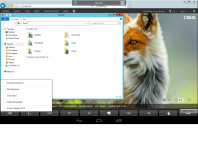
Windows Home Server Forums provided by Microsoft, users with Service Pack 3 installed on their Windows XP desktop may well find themselves unable to connect to their Windows Home Server box via the Remote Desktop Protocol interface in Internet Explorer.
In a reply to a request for help regarding RDP no longer working since SP3 was installed, forum user
ColinWH states that the issue revolves around changes made in SP3 to the security model for Internet Explorer. The Terminal Services ActiveX control – used to create RDP sessions within Internet Explorer for remote control of headless boxes like Windows Home Servers – has been “
disabled by default.” The fix involves editing the registry to delete a pair of killswitches that prevents the ActiveX control from showing in the Add-Ons dialogue and thus from being re-enabled.
Although the problem can be solved with a workaround, many users are hesitant to start wandering around the Windows registry deleting keys with names like
{7390f3d8-0439-4c05-91e3-cf5cb290c3d0}, and still others are simply ignorant as to the very existence of such a file. With no official word from Microsoft on
why the ActiveX control was disabled, it's also impossible to know whether re-enabling it would re-introduce a security hole that SP3 was supposed to fix.
Although the installation of the long-awaited final service pack for the popular operating system has gone smoothly for most customers, it is interesting that many of the issues – including the compatibility problem that resulted in the download being
removed mere minutes after its official launch – seem to occur with other Microsoft products. Perhaps Microsoft should have delayed the launch
even further to ensure these problems were found and fixed prior to release?
Have you had any problems since installing Service Pack 3 for Windows XP, or has it all been plain sailing? Share your experiences over in
the forums.

Seriously I installed the SP3 on all the computers at work (65) and not any issue so far.
peace
fatman
After some searching around, I finally found the solution, re-registered the .dll file, and now the rest of the updates install just fine.
I guess it might have been a fluke, but it seems strange to me that a Windows update would break the Windows Update service.
-monkey
I installed it form the link, some one posted on the forum. I had the exact same experience, but then i'm running pro, could that be the difference?
Vista SP1's been giving me headaches too :(.
I guessed that this was what had happened when I logged in, only to have that annoying little dialog box which you get when you first log on to a machine using an AD account - saying something about setting up personalised preferences for various software. It sat there claiming to be doing so for Internet Explorer - for at least a couple of minutes. I thought this was a little odd, but put it down to perhaps being something to do with the way that I never installed IE7, and so still have IE6. Once it finished that and logged me in properly, I noticed that my IE shortcut was missing from the quick launch bar - and when I went to grab it back from the start menu, I found it missing from there too! A quick win+r -> iexplore popped it up with no problems, so it was still there - SP3 had just decided to eat all shortcuts to it.
The other problem I've found so far is that Windows Live Messenger started two instances of itself - each one attempting to find the installation package (which appears to have been removed from the server, or perhaps renamed). After waiting for these dialog boxes to disappear once I had hit cancel - and killing one of the two instances - things seemed to be fairly normal; it ran just as before. It even exhibited the same issue as before, where clicking on a link in a message would cause the entire thing to hang, requiring its process to be terminated. Upon terminating the process, I went to re-launch it... only to have a single click of the start menu item launch two copies of it again! Not only that, but both copies once again did the Windows Installer thing. I managed to cancel out of them again, and proceeded to uninstall anything related to Live. I then downloaded a fresh installer and reinstalled Live Messenger from scratch, which appears to have fixed both issues - although when I first closed and re-opened it to test, it did require the installation files again. It seems to be fine now, though.
Here's a bit of background: I'm a web developer, meaning that I need IE available for testing; I also have a Virtual PC image which has IE7. As for Messenger, I hate it, but it's the primary method of instant communication within the company. I could install a different client, such as Pidgin, but I don't normally have too many issues with the Microsoft client - once it's been tweaked a bit.
-Max
after a defrag the other day something screwed up the windows directory, resulting in an earlier re-install than the 20 days i had left for activation.
fortunately i had a spare 40GB hdd, so haven't had to wipe the main hdd and lose all the data i hadn't yet backed up.
On saturday i installed xp pro, after loading sp3 i found i had trouble activating windows still and like supermonkey i had several windows updates that were not installing due to unregistered .dll files, after finding the fix online, the activation/registration and updates are working again.
to quote dr zachary smith "oh the pain the pain"
Video and sound.
I have a widescream monitor and the windows show image with 800X600
and dont see my onboard sound.