bit-tech.net

Seagate admits firmware foul-up

Seagate admits firmware foul-up

The affected drives cease to be recognised by the BIOS after around three months of use - but can be revived with a firmware update.

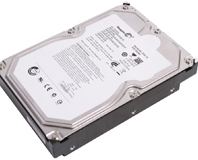
After numerous reports from end users have been popping up on the web, Seagate has admitted that an error in the firmware supplied with certain models of hard disk is leading to premature failure and loss of data.

According to a thread started on Seagate's support forum back in December, users of Seagate's popular Barracuda 7200.11 drives have been experiencing a far higher than average failure rate – so high, in fact, that users have dubbed the thread the “epic fail thread.” Drives reportedly affected include the Barracuda 7200.11, DiamondMax 22, and Barracuda ES.2 SATA drives manufactured by the company.

The problem manifests itself as an inability to retrieve data stored on the disk – with the worst affected units even failing to be detected by the BIOS when connected to a motherboard. The issue isn't a physical problem, however, but a flaw with the firmware on the drives.

After remaining silent for over a month with regards to how widespread the problem might be, Seagate announced yesterday that it has “isolated a potential firmware issue in certain products, including some Barracuda 7200.11 hard drives and related drive families based on this product platform, manufactured through December 2008” which can lead to “the data on the hard drives [becoming] inaccessible to the user when the host system is powered on.”

The good news for those affected by the flaw is that it can be repaired via a firmware upgrade, with no need to send the disk off to Seagate to get the problem sorted. A page on the Seagate Knowledge Base offers a downloadable firmware flasher, plus instructions on how to see if your drive is amongst the affected.

Should Seagate have done something about this issue when the failures first became apparent, or are you just pleased that there's a way to get your shiny new terabyte drive back up and running again? Share your thoughts over in the forums.

18 Comments

Discuss in the forums Reply
VipersGratitude 20th January 2009, 10:48 Quote
They're still fibbing - I bought my harddrive in July, only for it to become a doorstop in November. It's among the doorstops (I mean drives) listed so this must have been going on for a lot longer than 2 months.

I followed that link, and found firmware download page for my drive - Do you think I should I take the following statement as encouraging or discouraging? "Note: This file has been temporarily taken offline as of Jan 19, 2008 8PM CST for validation."

epic fail indeed
Paradigm Shifter 20th January 2009, 11:38 Quote
Quote:
Originally Posted by VipersGratitude
They're still fibbing - I bought my harddrive in July, only for it to become a doorstop in November. It's among the doorstops (I mean drives) listed so this must have been going on for a lot longer than 2 months.

I followed that link, and found firmware download page for my drive - Do you think I should I take the following statement as encouraging or discouraging? "Note: This file has been temporarily taken offline as of Jan 19, 2008 8PM CST for validation."

epic fail indeed

From reports on XtremeSystems, the reason that firmware was pulled was because it auto-kills pretty much every 500GB 7200.11 that anyone puts it on.

Seagate... did you not even test the update before releasing it?
nickinUK 20th January 2009, 12:06 Quote
Quote:
Originally Posted by VipersGratitude
They're still fibbing - I bought my harddrive in July, only for it to become a doorstop in November. It's among the doorstops (I mean drives) listed so this must have been going on for a lot longer than 2 months.

I followed that link, and found firmware download page for my drive - Do you think I should I take the following statement as encouraging or discouraging? "Note: This file has been temporarily taken offline as of Jan 19, 2008 8PM CST for validation."

epic fail indeed

Hi

Have 2 of these affected 500GB drives running in my main system found the same as you did.
After reading some of the posts in seagates own forum even their tech surport don't even have a clue whats going on just hope mine don't die
tank_rider 20th January 2009, 12:27 Quote
This is turning from bad to worse! Luckily i didn't try to flash my 500GB model yet, will wait for a fully fixed and sorted firmware to be put out there. In the mean time the machine's staying on.
craigey1 20th January 2009, 13:55 Quote
This issue is really frustrating.
I had 1 of these drives fail in my RAID 5. I replaced it with a spare (All drives purchased at the same time-I thought it'd be best to have a spare in case of failure). The RAID started to rebuild automatically, but overnight another disk failed during the rebuild. My raid is now marked as damaged & after a reboot the array reports that the no RAID exists.

I don't know if the firmware (the fix for the fix) is going to allow me to see the data on the RAID or not. I've raised support tickets with seagate & posted in the forum, but no answers yet.

I'm really annoyed, as I knew the risks with RAID5 & decided that the chance of 2 disk failures within a 24hours was too remote to consider the expense of an additional backup solution. I puposely chose the seagate drives as they also had a 5 year warranty. It's only been 4 months!
slugbug 20th January 2009, 17:30 Quote
I downloaded the new firmware yesterday. Good thing I didn't flash my two drives yet.
craigey1 20th January 2009, 18:29 Quote
There were actually 2 firware updates. The first didn't work on the drives that part no's ended in 303. It was silently updated with the one that bricks 500Gb drives.
mrb_no1 20th January 2009, 22:15 Quote
come on seagate, hdd are soo important, they have tp be the most reliable part of the pc as it can hold personal data....makes me want to look at wd for my next tb+ upgrade and i currently use 4 seagates in my machine. just chcked, thank the lord none of my 500gig seagates are affected! phew

peace

fatman
LordPyrinc 21st January 2009, 00:52 Quote
Ouch... Ive always liked Seagate drives, but this is somewhat disturbing. But my experiences over the years with harddrive failures is that if you really don't want to lose something, back it up to some physical media; whether a CD, DVD, media storage cards, or USB flash. All have their faults, scratches (CDs/DVDs) - have also had USB flash media become corrupted, but if you are truly paranoid, make multiple copies.

Works good unless a disaster such as fire, flood, tornado, etc happens, but the odds of my physical media being destroyed in such an event is low enough for me to take that chance.
Matticus 21st January 2009, 01:07 Quote
**** My 500gb is one of those listed.

When the firmware is sorted out, and I can flash mine, will all the data be lost?

I assume no, but it might address the data differently or something silly like that.

Oh and I have had my drive since May, but the model number and firmware affected matches up, so I don't know if mine is going to die on me or not.
Bluefan 21st January 2009, 19:01 Quote
Anyone here had succes flashing a 500GB? I haven't tried yet, I'd rather wait until it's a doorstop than make it one myself, because a good firmware will come... some day... I hope...
TomH 21st January 2009, 21:22 Quote
Quote:
Originally Posted by Matticus
When the firmware is sorted out, and I can flash mine, will all the data be lost?

I assume no, but it might address the data differently or something silly like that.
Updating drive firmwares won't wipe your data. Even if the update goes wrong, your platters shouldn't be touched by the upgrade software. The firmware is a completely different part of the disk. That said, I don't write upgrade software (or disk firmwares) so don't take my advice as golden.
silsil 23rd January 2009, 08:14 Quote
I'm pretty sure my hard drive has stopped working because of this. It's the only hard drive in my computer, and I can't start up the computer anymore (BIOS doesn't detect the hard drive). I've never installed new firmware before, is it possible to install the new firmwares onto my 'dead' drive? If so, how? :?
Thanks in advance :)
craigey1 23rd January 2009, 09:32 Quote
you'll need to take the drive out & check the part no. When you find it just search on seagates website & download the iso for the firmware.
Burn the iso to cd, unplug all other drives & boot from the cd.
press f10 to exit the eula
then press the apropriate letter that corresponds to your drive part no.

It take about 2 mins to update the firmware. It doesn't overwrte any data on the actual drive & has apparently restored 'bricked' frives to full working order.
{SmileyMan} 24th January 2009, 09:23 Quote
I have a 7200.11 500gb drive that I started having reading problems. Now XP will not boot of it.

Had it since the 7200.11 drives first came out.

Has the bricking of 500gb drives been sorted? Could save me the pain of having to reinstall everything on a new drive.
slugbug 24th January 2009, 18:18 Quote
Quote:
Originally Posted by {SmileyMan}
I have a 7200.11 500gb drive that I started having reading problems. Now XP will not boot of it.

Had it since the 7200.11 drives first came out.

Has the bricking of 500gb drives been sorted? Could save me the pain of having to reinstall everything on a new drive.

Yes, supposedly flashing with the new firmware will restore the drive and no data will be lost.
{SmileyMan} 25th January 2009, 17:08 Quote
Quote:
Originally Posted by slugbug
Yes, supposedly flashing with the new firmware will restore the drive and no data will be lost.

Yes but mine from Feb 08.

They say Dec 08 drives affected.

Give it a try but looks like I am sending the drive back.
craigey1 25th January 2009, 19:16 Quote
Seagate have changed their minds several times about the dates that the drives were manufactured. I purchased mine in september & they were effected by the firmware bug. I'd suggest trying the firmware first, before RMA'ing the drive.
Log in

You are not logged in, please login with your forum account below. If you don't already have an account please register to start contributing.


Discuss in the forums

More About...