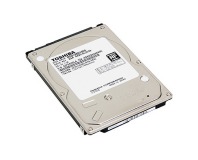
The new 5400.PSD by Seagate may not change many speed specs, but your battery life will thank you.
Many of us who are interested in hard drives have been waiting with baited breath for the release of new storage technology. Whether you're waiting for the SSD (Solid State Drive) or the PSD (Hybrid drive), it seems there's a lot to be gained by adding some flash. Well, Seagate has released the first hybrid for laptops...and does it deliver?
The press release that crossed my desk contained a lot of the general information, but here at
bit-tech we like to dig a little deeper. So, after a couple calls to my friend at the company, here's the info you need to know about hybrid drives:
The PSD series of drive is designed for the laptop market, and there is not a desktop version that will be coming in the very near future. Therefore, all PSD drives are 2.5" and come in sizes of 80, 120 and 160GB. The drives feature 256MB of NAND flash memory along with the standard 8MB of onboard cache. Drive seek times are 12.5ms with a latency of 5.6ms along with the sustained write speed of 44 MB/s, which is actually equal to the current Momentus 5400.3 generation.
So if it doesn't speed up the drives, what does that 256MB of flash memory do? For one, it drastically reduces load-up, sleep, and hibernation wait times on Windows Vista. But much more importantly, it increases battery life by quite a large amount. For instance, the first notebook being sold with the drive - the Sony Vaio SZ650 - had a battery savings of 25 percent versus a standard 5400.3 160GB model. If you are one of the speed demons who uses a Momentus 7200.1 (like yours truly), you could be looking at battery savings of up to 50 percent.
Of course, this comes at a small price premium, but the amount seems to be fairly negligible. Over here in the States, the Momentus 5400 120GB PSD can be had for a cool $130, about $35 more than the same-sized Momentus 5400.3. That price could make it a great choice for any road warrior who needed a size increase anyhow. The drives haven't quite made it to UK shores just yet, but we'll update you as soon as we know a price.
Why no desktops? Seagate is instead focusing its Barracuda desktop line on speed and reliability enhancement, where power isn't so much a concern. The new 7200.11 series drives (sizes from 500GB-1TB) has a
whopping 105 MB/s transfer rate - that's more than 20 MB/s faster than the Western Digital Raptor drives, which spin at 10k RPM!
We'll be putting those claims to the test soon enough....but in the meantime, why don't you tell us your thought on the hybrid release? Is this what you were expecting, or did you want to see something faster? Give us your impressions
in the forums.

Sadly, the .11's are pretty difficult to find atm - for us Canucks, NCIX has the 750s and 1Ts - but no 500s yet. They have the PSD's too... but all special order.
Seems a bit of a waste, and I like to keep my stuff separate from my OS. If i had a 500gb drive, I would fill it up with rubbish:(.
http://www.dailytech.com/Seagate+Hybrid+Hard+Drives+Ship+and+Disappoint/article9195.htm
comes down to what you're looking for, I guess. That's why I was very specific that the specs don't differ from the 5400.3 drives. What DOES differ is the massive battery life improvement. :) Remember how we are always talking as consumers about cramming more benefit in the same power envelope? Well, you could use that flash to speed up the drive but keep the battery life constant, or you could recognize you're working on a laptop drive and try to keep performance the same while bringing down power draw. Seagate chose the latter, and personally I think it was a wise decision.
it at all when the OS is heavy and bloted (it work wunders on XP tho 128mb boot the rest for other programs if it was supported) the cache on the disk needs to be 1gb to start off from and 2gb if you want the hdd to stay not spinning for longer times as thats what haveing flash on the hard drive is for so the hard disk can stop spinning for longer and save power 256Mb or 1gb can not do that
with 2gb of flash on the disk that you will find optons for hard disk power down more offen as well the Flash is faster access times then an laptop hdd and the Flash can have faster data rates then the laptop disks more so when there is random access going on (0.2ms flash / 10-15ms hdd with an Masive impact on file random read performace)
its more an problem with the hard drive Vista ReadyDrive cant work well at all with 256mb of flash its likey trying to run vista with 512mb of ram its to small to be usefull unless vista ReadyDrive uses it for Small files Only like it does for rederyboost (usb sticks)
How is constantly starting/stopping the drive going to help anything, id rather have less battery life then my HDD dieing after a year
I just wish they bring an SSD out for desktop usage.....faster read/write times for OS's and games if there's enough flash memory available.....I seriously can't wait.....
My new Toshiba X200 lappy should arrive tomorrow and just for shits n giggles I was planning to put in a couple SSD drives in raid 0.
Only problem with that is HUUUUGE cost (and I'm currently a poor student :().
So if you could use these in raid to combine the cache it would be handy.
Can't see it working though since the raid controller basically makes the two drives appear as one.
Would be interested in knowing for sure though. :)
And when it gets asked for something not in flash (or when the flash is full of stuff to write) the disc has to be spun up - and that has to mean the disc will be spinning up and down all the time, which must wear it out pretty fast
The Flash holds only frequently accessed data - the core files of the operating system for example, or any other files you might have open. When most people use laptops they tend to do one thing for a reasonable period of time, such as write a Word document or browse the Internet. 256MB of cache is enough to hold any files that are frequently accessed during these activities and eliminate frequent referral back to data on the platters of the hard drive.
Also, sorry to be a cpemma (;)), but the article should read "waiting with bated breath" rather than "baited".
ie, will it work in Linux and XP etc or does it need Vista's new cache-boost type stuff?
Also, can you manually control what goes in there?
You might want to put specific things in there to make it faster for what you want to do rather than what the system thinks you might do.
ie, games etc.
And anyone know the answer to the previous question about RAIDing these? :)