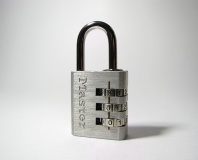
25% of PCs are botnet infected

The tubes are getting clogged by botnets, says Vint Cerf.

One quarter of all PCs connected ot the internet are connected to a botnet by way of malware, it has been estimated.

Vint Cerf, widely regarded as the one of the 'fathers of the internet' for his work on the TCP/IP protocol, made the guesstimate at the World Economic Forum in Davos, yesterday. He said that, of the 600 million PCs that are connected to the internet, around 150m were connected up to a botnet - almost all of them without their owners having a clue what is going on.

The rise of botnets has come about through internet malware, and the revenue which can be generated by using CPU cycles and internet connections. Computers connected to a botnet can be remote controlled, then used to send out spam email and participate in DDoS attacks. Both of these functions can be re-sold by the botnet controller to a buyer eager to make use of the seedier side of the net.

Will Windows Vista put a halt to this? The world can but hope, as better security on the internet, touted by Microsoft in Vista, will hopefully prevent more PCs getting infected - but we won't hold out too much hope.

Given the massive readership of bit-tech, statistics suggest that at least some of you must be unwittingly running botnet software. When was the last time you checked? Let us know over in the forums.

Quote r4tch3t 26th January 2007, 10:57
Very little chance of me getting infected... unless bit is infecting me, I don't stray too far. Helps to reformat every so often as well.
That number is quite high, a bit worrying when you think about it.
Quote p3n 26th January 2007, 11:04
Quote:
Originally Posted by r4tch3t
Very little chance of me getting infected... unless bit is infecting me, I don't stray too far. Helps to reformat every so often as well.
That number is quite high, a bit worrying when you think about it.

your solution to anything *ware is formating ?!

kinda backs up the statistic when people think fixing a problem is better than preventing it :(
Quote r4tch3t 26th January 2007, 11:07
Nah, I prevent it too. It just cleans all the extra crap that accumulates when you install things. But when I have two HDDs, one is for the OS, the other is storage, I usually reformat once I finish a couple of games before I install the next. Down to one HDD so havn't done it in a while.
Quote ChromeX 26th January 2007, 11:14
Quote:
Originally Posted by p3n
kinda backs up the statistic when people think fixing a problem is better than preventing it :(

Yeah well at least it doesn't back up the statistic of people having a malware infected computer! I was having a similar discussion yesterday with specofdust and my argument is that you can never be too sure with malware/virii these days they're getting more and more complex and can hide quite well, I feel safer just formatting the lot and having piece of mind. Plus a good ol format keeps things running smooth ;)
Quote BioSniper 26th January 2007, 11:27
Yep, try as you might by using anti-virus/anti-spy/anti-malware software it's unlikely that you'll ever catch it all.
As ChromeX says, a format helps to keep thing running better too. My install must be atleast 6 months to a year old now and it's starting to run pretty badly, which reminds me; it must be time for a re-install :)

It's pretty sad though that its possible that so many machines are infected due to essentially people just not knowing what they are getting themselves into/running as an admin account all the time or other similar security breaches.
I could only hope that none of my family are suffering from it but it's people like my dad who are likley to be the cause of such issues, he called me up lastnight because the "virus checker was slowing the system down so I un-installed it and the problem went away", yet it was AVG which is totally un-obtrousive and was functioning fine after I installed it and was playing with the system.
Some people never learn :(
Quote dullonien 26th January 2007, 11:51
The way to keep a well running pc in my opinion is :

1. Antivirus and Antispyware realtime scanning.
2. Be careful where you go on the web.
3. Registry scan at least once a week or after installing/uninstalling anything. (I find it to be the biggest reason for a slowing down machine)
4. Virus and spyware scan once a week at least. (I'm sometimes a bit lazy here and do it once a fortnite, done no harm here)
5. Keep things tidy, delete files you don't need, delete shortcuts that aren't needed etc.
6. Reformat once every 6 months to 1 year.
7. For those confident enough (most on here) use nLite to get rid of most c**p in windows (movie maker, outlook, drivers for endless devices, games, fax etc.) before starting.

Dunno if that actually helps someone, but meh.
Quote orb 26th January 2007, 11:55
Quote:
Originally Posted by dullonien
The way to keep a well running pc in my opinion is :

1. Antivirus and Antispyware realtime scanning.
2. Be careful where you go on the web.
3. Registry scan at least once a week or after installing/uninstalling anything. (I find it to be the biggest reason for a slowing down machine)
4. Virus and spyware scan once a week at least. (I'm sometimes a bit lazy here and do it once a fortnite, done no harm here)
5. Keep things tidy, delete files you don't need, delete shortcuts that aren't needed etc.
6. Reformat once every 6 months to 1 year.
7. For those confident enough (most on here) use nLite to get rid of most c**p in windows (movie maker, outlook, drivers for endless devices, games, fax etc.) before starting.

Dunno if that actually helps someone, but meh.


..Do you even know what a botnet is?
Quote Idioteque 26th January 2007, 13:34
I consider myself pretty safe... Whenever I'm away from the computer my screensave runs... my screensaver happens to be an Avast antivirus screensaver. I happy.

I also make sure not to go on dodgy pr0n sites...
Quote mattyt 26th January 2007, 14:05
I last checked about 2 years ago. Right before I got a mac :D

When I get a new intel mac and install windows on it for testing websites, i'm gonna have it strictly fire-walled so it can only access the domains I specifiy.
Quote bilbothebaggins 26th January 2007, 14:07
In my experience there's a few things that help me not even needing an antivirus program:
1.) Not using outlook
2.) Not using IE
3.) Being behind a NAT device. (that trusty router that keeps me online)
4.) Don't click on weird stuff.

It just so happens that I'm better of without any antivirus this way.

OC, in a don't-try-this-at-home way my parents place as well as my brother's notebook have got installed some antivir :) (would never trust them with esp. 4 :D )
Quote HugoB 26th January 2007, 14:41
I remember my next door neighbour complaining about the slowness of his system a year or so ago, "Ad-Aware found 20,000 critical items"

I actually almost died from laughter! There's no greater risk to PC security than a 15 yr old female sister!
Quote Adam-Mck 26th January 2007, 14:47
well what are you going to do when vista comes out as a serial key is only open for 10 installs/reinstalls after that you need to buy new. and i think it wont be long after vistas launch of people developing malware/virus's ect for vista probs trying to develop it now on the vista RC2
Quote DougEdey 26th January 2007, 14:55
Quote:
Originally Posted by Archangel

I actually almost died from laughter! There's no greater risk to PC security than a 15 yr old female sister!

As opposed to a male sister :D
Quote ralph.pickering 26th January 2007, 15:34
Quote:
Originally Posted by Adam-Mck
well what are you going to do when vista comes out as a serial key is only open for 10 installs/reinstalls after that you need to buy new. and i think it wont be long after vistas launch of people developing malware/virus's ect for vista probs trying to develop it now on the vista RC2

Symantec Ghost... or similar. Make an image after a clean install, and when you reapply it after a malware infestation, the computer is none the wiser. Unless of course you use the sysprep option to run the mini-install after ghosting. But you only need that in the one image, dozens of computers scenario.
Quote furqan 26th January 2007, 17:24
Quote:
Originally Posted by DougEdey
As opposed to a male sister :D

meh.. I was just thinking the same thing
Quote oasked 26th January 2007, 18:01
I find its fairly easy to stay safe online, just don't visit too many dodgy sites and don't download dodgy email attachments.

Of course a hardware firewall (as well as Windows built in one) also helps. :)
Quote Cthippo 26th January 2007, 18:01
Only my lappy still runs WIndows, but I use Opera and Spybot with Teatimer, plus it's all behind the hardware firewall, and have never had a problem. Both desktops are theoretically dual boot (win / nix) but in reality never get booted to Windows.

This is the result of making computers user friendly for the masses, masses of people using computer who aren't competent to do so.
Quote zero0ne 26th January 2007, 18:44
I look at this stuff differently, to be honest.

My priority is patching, 100%, if there is a new hotfix for XP, its on my machine (assuming it warrants it; and i have to look at them all for work anyway)

If your machine is patched, you can be connected to the internet, and not worry about anything getting though, even without a firewall. (assuming a secure password)

I also have a smoothwall install on a crap machine acting as my router which offers a firewall, and SNORT (along with other features, but these are really the most relevant)

Firewall supports uPnP, so utorrent is setup for random ports.

MS windows XP firewall disabled, though i feel that it is the best firewall out there (assuming you keep your machine patched, and know how to safely browse websites; if you are a beginner at computers, the windows firewall won't cut it though)

I usually don't bother with AV or anti-spyware programs.

Everything important is done on the actual XP install (e-mail, C++ dev, web dev, gaming, schoolwork, simple/safe web browsing)

anything else i feel would clutter my main OS will be done in a VMWare instance, so that if anything gets messed up, its a 2 minute process to clean up.

once said shady program has either proved to me that I like it enough to put on my computer, or use it enough to warrant putting it on my actual OS install, I will then copy it over.

downloading torrents and such will be done on the main computer, unless the file is really sketchy. From my personal experience, torrents are extremely safe, and I have never gotten infected from running a movie/music/app/game that was grabbed from torrents.
Quote Generic42 26th January 2007, 19:34
I'm not infected I hope... all I know is that I get a lot of spam and gmail blocks it all, hooray! I think even colleges are spamming though (they know my name and send out a weekly email )

Stoopid malware, why do people have to be so mean?
Quote ChromeX 26th January 2007, 20:31
Quote:
Originally Posted by Archangel
There's no greater risk to PC security than a 15 yr old female sister!

ABSOLUTELY!! I did a format on Wednesday or there abouts all because of my stupid sister was visiting stupid sites and downloading all sorts of garbage. And yet im the one who mum falls out with because I wont give her the password but when I do she passes it onto my sister! :(
Quote bubsterboo 26th January 2007, 23:08
For my machine, i don't have any kind of antivirus software only because i believe you can be safe on the internet if you have a good firewall and such. Just don't use IE, don't go to dodgy sites, don't run any kind of exe file you find on the internet unless you know its from a trusted source. (usual don't be an idiot on the internet things)

I also don't use antivirus software because it's usually a major performance hog and hinders my computers responsivenessss. (And i know i can easilly get away with out one)

But my parents computers on the other hand.....
My little sisters and brothers go on them, download stuff, go to dodgy sites, install what ever they like. Then my mom always calls me! Same story every time.
Quote crazydeep74 26th January 2007, 23:39
You know you could always install deepfreeze on your parents computer, so everytime, its logged off, everything goes back to the way you want it.

Here is how I keep my PC safe:
1. Linux, Log out and exit the GUI when I leave my PC
2. Dont let family use my PC
Quote bubsterboo 27th January 2007, 01:52
Quote:
Originally Posted by crazydeep74
2. Dont let family use my PC
Always the way to do it.
Quote airchie 27th January 2007, 13:45
Quote:
Originally Posted by bilbothebaggins

In my experience there's a few things that help me not even needing an antivirus program:
1.) Not using outlook
2.) Not using IE
3.) Being behind a NAT device. (that trusty router that keeps me online)
4.) Don't click on weird stuff.
QFT!! :)

Quote:
Originally Posted by zero0ne

I look at this stuff differently, to be honest.

My priority is patching, 100%, if there is a new hotfix for XP, its on my machine (assuming it warrants it; and i have to look at them all for work anyway)

If your machine is patched, you can be connected to the internet, and not worry about anything getting though, even without a firewall. (assuming a secure password)
Horsecrap!
If your machine is patched and up to date AND doesn't have any other progrms installed on it then its safer than if it weren't patched.
However, MS isn't the fastest at patching security holes and this is a very reactive rather than proactive approach.
Blaster worm anyone?

Quote:
Originally Posted by zero0ne

Firewall supports uPnP, so utorrent is setup for random ports.
You do realise that uPNP is a massive security risk right?
Its basic function is to allow any software on your PC to configure the router to forward ports to itself.
So utorrent uses a random port, lovely.
Then any *ware on your machine that wants to call home or open ports for it to join a botnet just tells the router to forward the malicious traffic through your router which would normally keep you safe.
Most routers don't even show you any forwarding rules set up by uPNP so you can check for anything suspicious.

The whole point of firewalls and port-forwarding is that you control what traffic is allowed into your network.
Allowing ANY software running on ANY machine on your network to configure this defeats the point.
Its just another example of PCs and associated hardware being 'dumbed-down' for the masses at the expense of security. :(
Quote:
Originally Posted by zero0ne

Everything important is done on the actual XP install (e-mail, C++ dev, web dev, gaming, schoolwork, simple/safe web browsing)

anything else i feel would clutter my main OS will be done in a VMWare instance, so that if anything gets messed up, its a 2 minute process to clean up.
That's quite a neat idea, I like it. :)
Quote:
Originally Posted by zero0ne

downloading torrents and such will be done on the main computer, unless the file is really sketchy. From my personal experience, torrents are extremely safe, and I have never gotten infected from running a movie/music/app/game that was grabbed from torrents.
That's the point, you don't 'run' music or movies so you can't get a virus from them.
Unless they have that thing where they say they need a 'codec' to run and try to get you to run an .exe from a dodgy IP.
Or the old metafile hole that allowed specially crafted images to run code. :D
But I agree that on the whole, torrents seem to be 'quite' safe.
Personally I'd never run any .exe file gotten from torrents/P2P/Warez sites though.

Quote:
Originally Posted by bubsterboo

For my machine, i don't have any kind of antivirus software only because i believe you can be safe on the internet if you have a good firewall and such. Just don't use IE, don't go to dodgy sites, don't run any kind of exe file you find on the internet unless you know its from a trusted source. (usual don't be an idiot on the internet things)

I also don't use antivirus software because it's usually a major performance hog and hinders my computers responsivenessss. (And i know i can easilly get away with out one)
I used to be the same, I didn't use anti-virus progs due to the performance hit of scanning every file before running it.
Then I found and used NOD32 and never looked back.
I don't know its even running unless it finds a virus and prompts me for actions.
I didn't know it worked until I backup up a friend's HDD to mine and it found heaps of virus loaded files in amongst his stuff.

I find that Firefox (with NoScript extension) and Thunderbird, NOD32, XP firewall, a NAT router and a little common (or not so common) sense goes a very long way to securing a machine.
Quote dullonien 27th January 2007, 19:40
Quote:
Originally Posted by orb
..Do you even know what a botnet is?

Something that takes over your pc to use it as a distributing hub for spyware, junkmail etc........... I think.

I was simply replying to others talking about security in general.

sorry it took so long to reply, don't check bit much on weekends.
Quote airchie 28th January 2007, 11:21
Wiki fertehwin. :)
Log in

You are not logged in, please login with your forum account below. If you don't already have an account please register to start contributing.


Mobile Phones

LG Arena ReviewHTC Magic Review

Compare over 250 mobile phones &
52,000 deals!


Broadband

Mobile Broadband

Compare over 100 broadband & mobile broadband deals online!

Dragonage