ICO's advice on securely erasing data from second-hand equipment is good, but using Darik's Boot and Nuke is better.
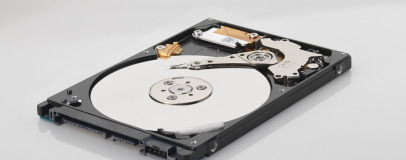
The Information Commissioner's Office (ICO) has released a report urging consumers to take more care of old computing equipment, following an investigation into data on second-hand hard drives.
To analyse the risk from the sale of second-hand computing equipment, ICO drafted in computing forensic company NCC Group to buy around 200 hard drives, 20 memory sticks and 10 mobile phones from internet auction sites and computer fairs back in 2010.
Once the hardware was in NCC's sticky hands, the company ran readily-available undelete software across the devices and found that 48 per cent still contained recoverable data. In total, 11 per cent of the devices held data the company rated as 'personal.'
That personal data - amounting some 34,000 individual files - was in some cases enough, the company claimed, to enable a ne'er-do-well to steal the previous owner's identity. Documents found during the process included bank statements, scanned passport images, details of driving offences and medical information. A further four hard drives were found to contain information about employees and clients of businesses which had previously owned the hardware, including health and financial details.
'
We live in a world where personal and company information is a highly valuable commodity. It is important that people do everything they can to stop their details from falling into the wrong hands,' warned information commissioner Christopher Graham of the report. '
Today's findings show that people are in danger of becoming a soft touch for online fraudsters simply because organisations and individuals are failing to ensure the secure deletion of the data held on their old storage devices.
'Many people will presume that pressing the delete button on a computer file means that it is gone forever. However this information can easily be recovered. The ICO has published guidance to help individuals securely delete information stored on their old devices. We hope this publication will help people to take better control of their personal data.'
The ICO's advice on securely erasing drives can be red
on the official website, although we'd suggest learning to use
Darik's Boot and Nuke is a better use of your time.

21 Comments
Discuss in the forums ReplyIn my first year of Uni, I was housed in halls with a block of Computer Science students and one of the things they used to demonstrate was retrieving data from damaged or wiped hard disk drives. Since then I've always insisted on removing the drives from any old computers family and friends are disposing of.
In the end, what we used to do at Uni was actually remove the hard disk platters and use them as coasters on our desks. Over time the heat from mugs of coffees warped the data and rendered it unreadable...
...at least that was the theory!
It's still up on bbc iplayer if anyone is interested. Here.
..Choose the most secure method, and your talking literally days to wipe a disc.
Though those not tech-savvy enough to know how to properly wipe a hard drive are at risk.
Thing that gets me is hard drives cost MORE in Africa if they have data on them! Shocking. Get a good wipe program guys and turn those informations into zeros...or ones..w/e. Just wipe that ****. More user friendly than grabbing your local blow-torch and melting that baby.
Maybe more user friendly, but not as user fun! With proper PPE ofc... :P
NOTE: Don't make it. It's fun, it's easy, but it's quite likely to result in a visit from the anti-terrorism squad - and while that sort of thing used to get you a slap on the wrist, these days the manufacturing of an "improvised explosive device" (what used to be known as "home-made fireworks") will likely get you a one-way ticket to Gitmo. Also, thermite is pretty vicious stuff - which is great for wrecking hard drives, but not so great for keeping fingers, toes and eyesight intact.
The kind of people with the tools to get past a zero write and actually be able to do something with the information are not likely to be buying up drives off eBay for their nefarious purpose, so I am pretty confident I've nothing to worry about.
That said, at least most people at least attempt to delete the data.
I bought a PS3 hard drive that was clearly someone's porn storage device and even worse a Samsung Galaxy that spent a large amount of it's life producing amateur porn! I swiftly deleted it all after watching it.
Made me giggle!
Im currently using a Recuva to rescue some data from a formatted drive.
Takes an age to scan but once its finished its amazing what you can find.
This drive had been re-formatted re-partitioned and a fresh copy of windows and all his app installed.
id say I've found about 85% of the original content!
The hard drives own internal secure erase feature is also a lot quicker than the methods DBAN uses. IIRC, I wiped a 2TB drive in approx. 1 hour using HDDErase.
the US government approved method of destroying a data hard drive? dropping into acid till it melts. Overwriting xxx amount of times can still be read with enough effort.
Commands to run (using a random drive as an example, and replacing the serial number with "serialnumberhere"):
hdparm -I /dev/disk/by-id/ata-ST9500420AS_serialnumberhere
Capital i, not lowercase L. That will tell you something like this at the bottom:
Security:
Master password revision code = 65534
supported
not enabled
not locked
not frozen
not expired: security count
supported: enhanced erase
102min for SECURITY ERASE UNIT. 102min for ENHANCED SECURITY ERASE UNIT.
Then:
hdparm --security-set-pass SOMEPASSWORDHERE /dev/disk/by-id/ata-ST9500420AS_serialnumberhere
time hdparm --security-erase SOMEPASSWORDHERE /dev/disk/by-id/ata-ST9500420AS_serialnumberhere
You can instead do --security-erase-enhanced, if the drive supports it.
I run it through "time" -- if the thing takes way longer than it states it should, I'd imagine the drive is unhealthy. (One time I saw two different drives drives report a 30-minute erase, with me present, as taking 450 minutes -- likely due to clock changes.)
EDIT: Also, there is an hdparm for Windows, but nowadays Windows sends the "freeze" command to all drives, as well -- even on alternate SATA controllers, I believe. Hence, you need the Linux hdparm.
If your operating system supports seamless encryption well (like OSX), then encryption is a good idea if you can stomach the performance loss.
Acetylene torch is more fun