bit-tech.net

N900 hacked to boot Android

N900 hacked to boot Android

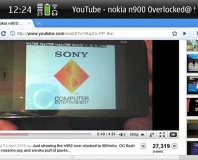
The video posted by Roberts on his blog reveals that the N900 can be made to boot Android - but not the details of how.

If you still can't decide which high-end smartphone to get - a device such as the Motorola Milestone or HTC Nexus One running Google's Android, or Nokia's powerful N900 running the less popular Maemo 5 OS - a wily hacker might have just made your decision a whole lot easier.

As revealed to the world in a video on his blog - via Ubergizmo - Brandon Roberts has successfully managed to get Nokia's Flagship N900 smartphone booting from its SD card. More specifically, he's got it booting Google's open Android platform.

While the N900 runs the Linux-based Maemo 5 platform - as originally developed for Nokia's range of Internet Tablets, starting with the N770 - Nokia have not locked the system down as much as many rival 'phone manufacturers, allowing hacks such as Roberts' and the launching of alternative operating systems.

Described as a "proof of concept," Roberts has yet to reveal details of how the hack was achieved - but states that the hack is "real and it could be spectacular."

The porting of Android to the N900 brings with it access to Google's App Store, although as an unauthorised device - especially one which stores its data on a removable memory card - it's highly unlikely that Google will authorise hacked N900s to enable paid app purchasing. Despite this, it offers a dual-boot solution for those unable to decide between the two platforms - although how usable the Android boot is on the device, and how complicated the hack to enable booting from an SD card is, remains to be seen.

Do you like the thought of a smartphone that can boot into multiple operating systems, or are you struggling to see the practical applications in Roberts' "proof of concept"? Share your thoughts over in the forums.

14 Comments

Discuss in the forums Reply
ChaosDefinesOrder 25th January 2010, 11:42 Quote
It's not too surprising really, the N900 already has the capability to install a full scale version of Debian, there's Maemo obviously, and a fully community re-developed parallel version of Maemo called Mer. Android was a bit of an inevitability, however the strangest thing is why anyone would want to put Android on in the first place?

Maeo is brilliant and smooth, I've got an N900 and it works fantastic out of the box. The main good thing about it is that it's COMPLETELY open. You can compile anything, run anything, install anything, edit anything. Android is very locked down by comparison!
DeathAwaitsU 25th January 2010, 11:46 Quote
Maybe because Androids a better os?
Now they just need to get it running on an iphone and ill be be happy :)
keir 25th January 2010, 11:50 Quote
better apps I suppose.

but if we can all just wait..
chimaera 25th January 2010, 11:54 Quote
Quote:
Originally Posted by ChaosDefinesOrder
It's not too surprising really, the N900 already has the capability to install a full scale version of Debian, there's Maemo obviously, and a fully community re-developed parallel version of Maemo called Mer. Android was a bit of an inevitability, however the strangest thing is why anyone would want to put Android on in the first place?

Maeo is brilliant and smooth, I've got an N900 and it works fantastic out of the box. The main good thing about it is that it's COMPLETELY open. You can compile anything, run anything, install anything, edit anything. Android is very locked down by comparison!

Remember the N900 is widely touted as a hackers toy so the only justification they need really is 'because they can' :)

For me it's pretty interesting as I use google calender and contacts quite extensively and the only thing holding me back from buying one at the moment is Exchange sync between google and n900 at the moment might charitably be described as 'unreliable'.
logan'srun 25th January 2010, 12:06 Quote
Quote:
Originally Posted by chimaera
Quote:
Originally Posted by ChaosDefinesOrder
It's not too surprising really, the N900 already has the capability to install a full scale version of Debian, there's Maemo obviously, and a fully community re-developed parallel version of Maemo called Mer. Android was a bit of an inevitability, however the strangest thing is why anyone would want to put Android on in the first place?

Maeo is brilliant and smooth, I've got an N900 and it works fantastic out of the box. The main good thing about it is that it's COMPLETELY open. You can compile anything, run anything, install anything, edit anything. Android is very locked down by comparison!

Remember the N900 is widely touted as a hackers toy so the only justification they need really is 'because they can' :)

For me it's pretty interesting as I use google calender and contacts quite extensively and the only thing holding me back from buying one at the moment is Exchange sync between google and n900 at the moment might charitably be described as 'unreliable'.

Why is it touted as a Hackers Toy? Does it not work as a smartphone? I'm looking for a qwerty smartphone and have been eyeballing this phone for a while now. But I'm also torn between the Android OS and Memeo. I need Exchange Sync between Outlook and Calender on the phone for it to be a viable purchase, without that it is just a toy.

Could some of you n900 owners sound off here and share some experiences?
ChaosDefinesOrder 25th January 2010, 12:30 Quote
Quote:
Originally Posted by logan'srun
Quote:
Originally Posted by chimaera
Quote:
Originally Posted by ChaosDefinesOrder
It's not too surprising really, the N900 already has the capability to install a full scale version of Debian, there's Maemo obviously, and a fully community re-developed parallel version of Maemo called Mer. Android was a bit of an inevitability, however the strangest thing is why anyone would want to put Android on in the first place?

Maeo is brilliant and smooth, I've got an N900 and it works fantastic out of the box. The main good thing about it is that it's COMPLETELY open. You can compile anything, run anything, install anything, edit anything. Android is very locked down by comparison!

Remember the N900 is widely touted as a hackers toy so the only justification they need really is 'because they can' :)

For me it's pretty interesting as I use google calender and contacts quite extensively and the only thing holding me back from buying one at the moment is Exchange sync between google and n900 at the moment might charitably be described as 'unreliable'.

Why is it touted as a Hackers Toy? Does it not work as a smartphone? I'm looking for a qwerty smartphone and have been eyeballing this phone for a while now. But I'm also torn between the Android OS and Memeo. I need Exchange Sync between Outlook and Calender on the phone for it to be a viable purchase, without that it is just a toy.

Could some of you n900 owners sound off here and share some experiences?

I use Nuevasync (http://www.nuevasync.com) for my Gmail sync and it works flawlessly with my N900 - which as chimaera mentioned, Google's own sync doesn't! It is $25 a year to get the push email, but I consider it worth it purely for the simple fact that when I transitioned from my HTC Touch HD to the N900 I just needed to enter my account details and all calendar, email and contact entries were synced straight away with no fuss! There have been a number of times that the push email on my N900 has "beeped" before the browser Gmail updated itself!

If you're just using your company's Outlook's Exchange servers then it should just work straight away. There's just something strange about the way that Google has implemented their Google Sync that doesn't quite play right. Nuevasync uses straight up Microsoft Exchange so works fine.

Personally, from the limited amount of time I've played with Android, I much prefer the Maemo implementation. It's (to me) much easier to get my head around the GUI! I much prefer the landscape orientation as well.

Then there's the apps; Android is essentially a Java implementation with a proprietary SDK, while Maemo is native Linux so can do anything the hardware allows, Python, GTK, Qt, flash etc. You can even make it install and use full scale Debian packages; I've seen someone running the full GIMP program on their N900! You don't need to jump through hoops to root the device either, just install a patch freely available in the development repositories and "sudo" in no problems!
BLC 25th January 2010, 12:36 Quote
Very interesting, but will hold my breath to see whether this becomes usable. The community has spent a very long time porting Android to other HTC phones, such as the Kaiser/TyTN II or the Diamond, and while it's an impressive technical achievement, it's still not quite as stable or as smooth as I'd like. I've used Android ports on both of the above phones (as I own them), and it is still a long way off from being 100% usable - by every day standards of "usability".
Cupboard 25th January 2010, 13:14 Quote
Yes, I would happily upgrade my Diamond to Android if it were usable as an every-day system.
chimaera 25th January 2010, 13:59 Quote
Quote:
Originally Posted by logan'srun
Quote:
Originally Posted by chimaera
Quote:
Originally Posted by ChaosDefinesOrder
It's not too surprising really, the N900 already has the capability to install a full scale version of Debian, there's Maemo obviously, and a fully community re-developed parallel version of Maemo called Mer. Android was a bit of an inevitability, however the strangest thing is why anyone would want to put Android on in the first place?

Maeo is brilliant and smooth, I've got an N900 and it works fantastic out of the box. The main good thing about it is that it's COMPLETELY open. You can compile anything, run anything, install anything, edit anything. Android is very locked down by comparison!

Remember the N900 is widely touted as a hackers toy so the only justification they need really is 'because they can' :)

For me it's pretty interesting as I use google calender and contacts quite extensively and the only thing holding me back from buying one at the moment is Exchange sync between google and n900 at the moment might charitably be described as 'unreliable'.

Why is it touted as a Hackers Toy? Does it not work as a smartphone? I'm looking for a qwerty smartphone and have been eyeballing this phone for a while now. But I'm also torn between the Android OS and Memeo. I need Exchange Sync between Outlook and Calender on the phone for it to be a viable purchase, without that it is just a toy.

Could some of you n900 owners sound off here and share some experiences?

OK Possibly I could have phrased that better as 'hacker friendly' - its running an OS that uses Debian linux at its core and is very open to tinker with (indeed you could argue that you need to be at least moderately techie to get the most from it).

Exchage support with actual MS Exchange works fine (2007 out of the box, 2003 support added in the recent patch).

Its probably most accurate if you consider most smartphones to be phones with the ability to run applications to look at the n900 as a mobile computer than can make phone calls - it works well enough but its not the primary function.

Other irritations for me (other than the lack of aforementioned reliable google sync (although I don't know much about the nuevasync solution mentioned above)) are the headphone socket having some sort of odd pinout so 'standard' (read: iPhone) headsets don't work with it (headphones are fine, but try to use a mic headset and you get horrible static). Thus far noone is offering an adapter or directly compatable headset, and the bundled cans are (as typical) pretty horrific.
ChaosDefinesOrder 25th January 2010, 15:04 Quote
Quote:
Originally Posted by chimaera
Quote:
Originally Posted by logan'srun
Quote:
Originally Posted by chimaera
Quote:
Originally Posted by ChaosDefinesOrder
It's not too surprising really, the N900 already has the capability to install a full scale version of Debian, there's Maemo obviously, and a fully community re-developed parallel version of Maemo called Mer. Android was a bit of an inevitability, however the strangest thing is why anyone would want to put Android on in the first place?

Maeo is brilliant and smooth, I've got an N900 and it works fantastic out of the box. The main good thing about it is that it's COMPLETELY open. You can compile anything, run anything, install anything, edit anything. Android is very locked down by comparison!

Remember the N900 is widely touted as a hackers toy so the only justification they need really is 'because they can' :)

For me it's pretty interesting as I use google calender and contacts quite extensively and the only thing holding me back from buying one at the moment is Exchange sync between google and n900 at the moment might charitably be described as 'unreliable'.

Why is it touted as a Hackers Toy? Does it not work as a smartphone? I'm looking for a qwerty smartphone and have been eyeballing this phone for a while now. But I'm also torn between the Android OS and Memeo. I need Exchange Sync between Outlook and Calender on the phone for it to be a viable purchase, without that it is just a toy.

Could some of you n900 owners sound off here and share some experiences?

OK Possibly I could have phrased that better as 'hacker friendly' - its running an OS that uses Debian linux at its core and is very open to tinker with (indeed you could argue that you need to be at least moderately techie to get the most from it).

Exchage support with actual MS Exchange works fine (2007 out of the box, 2003 support added in the recent patch).

Its probably most accurate if you consider most smartphones to be phones with the ability to run applications to look at the n900 as a mobile computer than can make phone calls - it works well enough but its not the primary function.

Other irritations for me (other than the lack of aforementioned reliable google sync (although I don't know much about the nuevasync solution mentioned above)) are the headphone socket having some sort of odd pinout so 'standard' (read: iPhone) headsets don't work with it (headphones are fine, but try to use a mic headset and you get horrible static). Thus far noone is offering an adapter or directly compatable headset, and the bundled cans are (as typical) pretty horrific.

Well the problem with standard headset jacks is that there isn't one! Not yet anyway... iPhone headsets are especially not "standard" (unless they work with Blackberries and 3.5mm equipped HTCs, in which case I stand corrected) Incidentally, the N900 comes with a TV-out cable which is quite fun to play SNES ROMS on the emulators available!
chimaera 25th January 2010, 15:12 Quote
Quote:
Originally Posted by ChaosDefinesOrder
Quote:
Originally Posted by chimaera
Quote:
Originally Posted by logan'srun
Quote:
Originally Posted by chimaera
Quote:
Originally Posted by ChaosDefinesOrder
It's not too surprising really, the N900 already has the capability to install a full scale version of Debian, there's Maemo obviously, and a fully community re-developed parallel version of Maemo called Mer. Android was a bit of an inevitability, however the strangest thing is why anyone would want to put Android on in the first place?

Maeo is brilliant and smooth, I've got an N900 and it works fantastic out of the box. The main good thing about it is that it's COMPLETELY open. You can compile anything, run anything, install anything, edit anything. Android is very locked down by comparison!

Remember the N900 is widely touted as a hackers toy so the only justification they need really is 'because they can' :)

For me it's pretty interesting as I use google calender and contacts quite extensively and the only thing holding me back from buying one at the moment is Exchange sync between google and n900 at the moment might charitably be described as 'unreliable'.

Why is it touted as a Hackers Toy? Does it not work as a smartphone? I'm looking for a qwerty smartphone and have been eyeballing this phone for a while now. But I'm also torn between the Android OS and Memeo. I need Exchange Sync between Outlook and Calender on the phone for it to be a viable purchase, without that it is just a toy.

Could some of you n900 owners sound off here and share some experiences?

OK Possibly I could have phrased that better as 'hacker friendly' - its running an OS that uses Debian linux at its core and is very open to tinker with (indeed you could argue that you need to be at least moderately techie to get the most from it).

Exchage support with actual MS Exchange works fine (2007 out of the box, 2003 support added in the recent patch).

Its probably most accurate if you consider most smartphones to be phones with the ability to run applications to look at the n900 as a mobile computer than can make phone calls - it works well enough but its not the primary function.

Other irritations for me (other than the lack of aforementioned reliable google sync (although I don't know much about the nuevasync solution mentioned above)) are the headphone socket having some sort of odd pinout so 'standard' (read: iPhone) headsets don't work with it (headphones are fine, but try to use a mic headset and you get horrible static). Thus far noone is offering an adapter or directly compatable headset, and the bundled cans are (as typical) pretty horrific.

Well the problem with standard headset jacks is that there isn't one! Not yet anyway... iPhone headsets are especially not "standard" (unless they work with Blackberries and 3.5mm equipped HTCs, in which case I stand corrected) Incidentally, the N900 comes with a TV-out cable which is quite fun to play SNES ROMS on the emulators available!

the iPhone connector is closer a defacto standard insomuch that the one I have (although I don't have an iPhone) works with my mate's HTC Hero, my Nokia E71 and my work Blackberry - while the buttonpress syntax doesn't necessarily do much, push to accept call (which is all I really need) works across all three. Mine is a maximo headset, but I've made the same test on etymotic HF2 headset with the same result.

Incidentally I'm not talking about that noddy chip controlled setup they use these days, the older single-button multipress setup is the one I mean.
ChaosDefinesOrder 25th January 2010, 16:10 Quote
Quote:
Originally Posted by chimaera
Quote:
Originally Posted by ChaosDefinesOrder
Quote:
Originally Posted by chimaera
Quote:
Originally Posted by logan'srun
Quote:
Originally Posted by chimaera
Quote:
Originally Posted by ChaosDefinesOrder
It's not too surprising really, the N900 already has the capability to install a full scale version of Debian, there's Maemo obviously, and a fully community re-developed parallel version of Maemo called Mer. Android was a bit of an inevitability, however the strangest thing is why anyone would want to put Android on in the first place?

Maeo is brilliant and smooth, I've got an N900 and it works fantastic out of the box. The main good thing about it is that it's COMPLETELY open. You can compile anything, run anything, install anything, edit anything. Android is very locked down by comparison!

Remember the N900 is widely touted as a hackers toy so the only justification they need really is 'because they can' :)

For me it's pretty interesting as I use google calender and contacts quite extensively and the only thing holding me back from buying one at the moment is Exchange sync between google and n900 at the moment might charitably be described as 'unreliable'.

Why is it touted as a Hackers Toy? Does it not work as a smartphone? I'm looking for a qwerty smartphone and have been eyeballing this phone for a while now. But I'm also torn between the Android OS and Memeo. I need Exchange Sync between Outlook and Calender on the phone for it to be a viable purchase, without that it is just a toy.

Could some of you n900 owners sound off here and share some experiences?

OK Possibly I could have phrased that better as 'hacker friendly' - its running an OS that uses Debian linux at its core and is very open to tinker with (indeed you could argue that you need to be at least moderately techie to get the most from it).

Exchage support with actual MS Exchange works fine (2007 out of the box, 2003 support added in the recent patch).

Its probably most accurate if you consider most smartphones to be phones with the ability to run applications to look at the n900 as a mobile computer than can make phone calls - it works well enough but its not the primary function.

Other irritations for me (other than the lack of aforementioned reliable google sync (although I don't know much about the nuevasync solution mentioned above)) are the headphone socket having some sort of odd pinout so 'standard' (read: iPhone) headsets don't work with it (headphones are fine, but try to use a mic headset and you get horrible static). Thus far noone is offering an adapter or directly compatable headset, and the bundled cans are (as typical) pretty horrific.

Well the problem with standard headset jacks is that there isn't one! Not yet anyway... iPhone headsets are especially not "standard" (unless they work with Blackberries and 3.5mm equipped HTCs, in which case I stand corrected) Incidentally, the N900 comes with a TV-out cable which is quite fun to play SNES ROMS on the emulators available!

the iPhone connector is closer a defacto standard insomuch that the one I have (although I don't have an iPhone) works with my mate's HTC Hero, my Nokia E71 and my work Blackberry - while the buttonpress syntax doesn't necessarily do much, push to accept call (which is all I really need) works across all three. Mine is a maximo headset, but I've made the same test on etymotic HF2 headset with the same result.

Incidentally I'm not talking about that noddy chip controlled setup they use these days, the older single-button multipress setup is the one I mean.

ok, that does sound "standardised" in that case :-) though it's not surprising that nothing other than "push to answer" works with the control codes...

It could be the TV-out pin that's causing the interference issue with the headset. Sounds like something that would be useful to submit as a bug report and see how possible it is to fix...

Never had the problem myself because I exclusively use bluetooth (stereo) headphones with built in mic. AVRCP controls work perfectly!
chimaera 25th January 2010, 17:33 Quote
Quote:
Originally Posted by ChaosDefinesOrder
ok, that does sound "standardised" in that case :-) though it's not surprising that nothing other than "push to answer" works with the control codes...

It could be the TV-out pin that's causing the interference issue with the headset. Sounds like something that would be useful to submit as a bug report and see how possible it is to fix...

Never had the problem myself because I exclusively use bluetooth (stereo) headphones with built in mic. AVRCP controls work perfectly!

No I quite agree, but like I say push to answer is at least good enough :)

I think you're probably right on the matter of the TV-out being the culprit - althought interestingly there is some anecdotal evidence to suggest that the protoype units that were floating around *did* work properly.

What headset do you use with the phone? I'd heard that A2DP support wasn'ty all that it should be
ChaosDefinesOrder 25th January 2010, 20:57 Quote
Quote:
Originally Posted by chimaera
Quote:
Originally Posted by ChaosDefinesOrder
ok, that does sound "standardised" in that case :-) though it's not surprising that nothing other than "push to answer" works with the control codes...

It could be the TV-out pin that's causing the interference issue with the headset. Sounds like something that would be useful to submit as a bug report and see how possible it is to fix...

Never had the problem myself because I exclusively use bluetooth (stereo) headphones with built in mic. AVRCP controls work perfectly!

No I quite agree, but like I say push to answer is at least good enough :)

I think you're probably right on the matter of the TV-out being the culprit - althought interestingly there is some anecdotal evidence to suggest that the protoype units that were floating around *did* work properly.

What headset do you use with the phone? I'd heard that A2DP support wasn'ty all that it should be

I use a Sennheiser MM 200 and I've yet to have a problem with it! Connects first time every time, controls always work and sound quality to my ears is good. I have become somewhat distrusting of the automatic connection so always manually connect via the Bluetooth settings but the settings are so quick to access it takes a couple of seconds to get to the "connect" button!
Log in

You are not logged in, please login with your forum account below. If you don't already have an account please register to start contributing.


Discuss in the forums

More About...