Google's Chrome OS - a cloud-based operating system for netbooks - is now available in source-code form.
Google's long-awaited Chrome OS - a full, lightweight operating system based around its open-source Chrome web browser - has finally gone official, with the company holding a small event to preview the features and functionality of the OS.
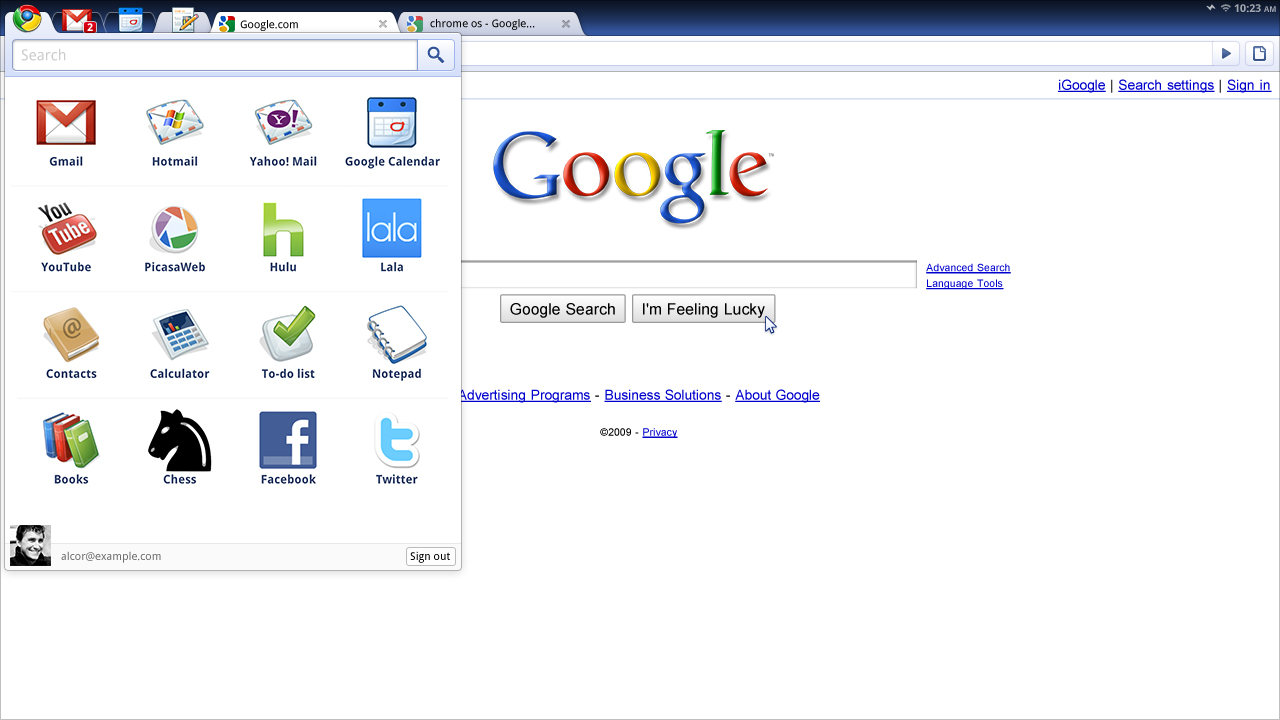
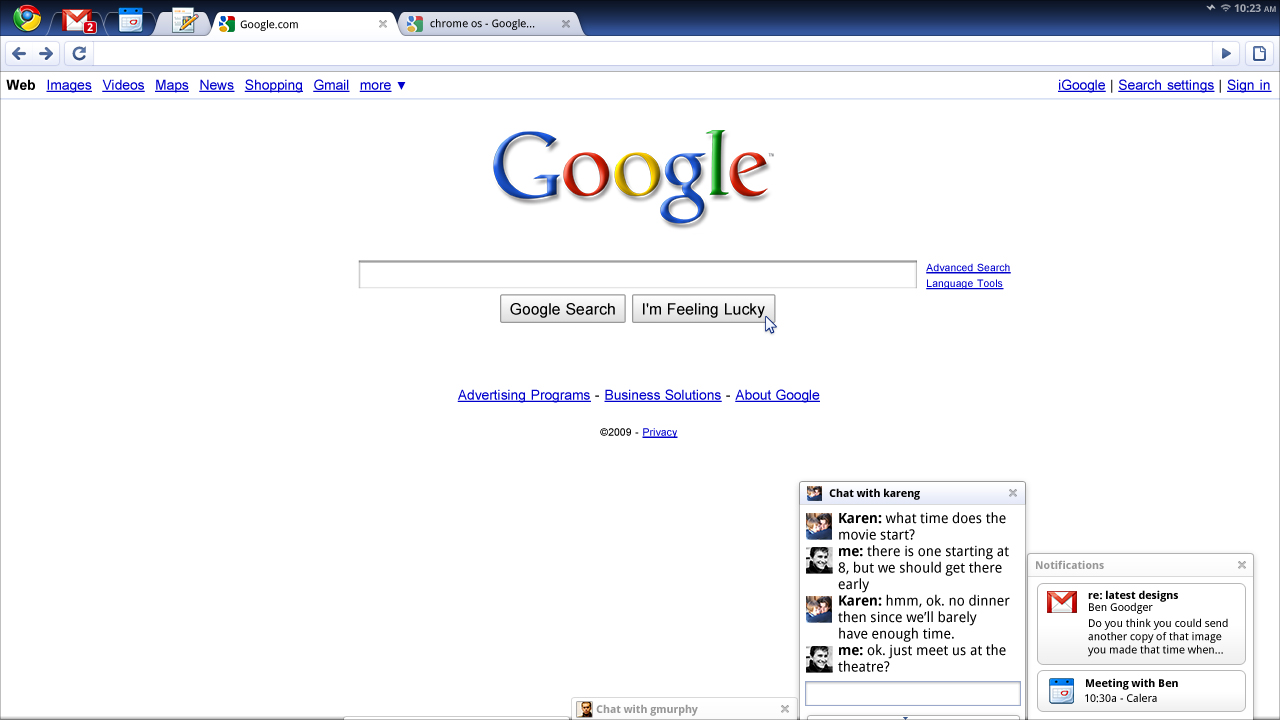
Engadget, present at the event, explains the core ethos behind the package: a cloud-based operating system which runs entirely from within the Chrome browser. Rather than having a 'desktop' per se, all applications are simply integrated links to Google cloud services - such as the 'Notepad' package which actually creates a document on Google's Docs site.
While it's cloud-based, the OS does use local storage to keep things nipping along - and should be able to function in an 'offline' mode when a 'net connection is unavailable.
Perhaps most interesting is the news that Chrome OS will not be made available for generic hardware, but rather for a specific design of platform that Google will mandate: as an example, a Chrome OS-based machine
must use an SSD rather than a traditional mechanical hard drive. The rather better news is that the entire OS is now released under an
open source licence, and supports both x86 and ARM-based CPUs.
GigaOM, also present at the launch event, describes an innovative security protocol which should prevent malware from taking over a Chrome OS-based system: in the unlikely event of infection, all cached data is saved and then a fresh copy of Chrome OS is automatically downloaded and installed on to the machine. Because of its cloud-based nature, no personal data is lost.
If you want to try the system out for yourself, an enterprising hacker has already compiled the source code for the Chromium OS - Chrome OS's open-source moniker - and posted the result as a VMWare disk image to popular BitTorrent search site
The Pirate Bay. In order to use the image, a copy of the free
VMWare Server virtualisation package is required.
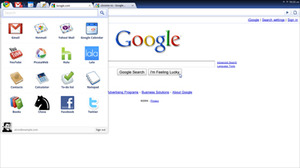
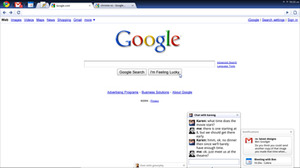
Chrome OS is very closely related to the Chrome browser, but adds a tab UI and apps menu
If you want to see exactly what happened at the launch event for yourself, Google has posted a video to
YouTube for your delectation.
Do you like the look of Google's Chrome OS, or does the idea of
everything you do hitting Google's servers fill you with the heebie-jeebies? Will you be trying the open-source version yourself - or even contributing code to the project? Share your thoughts over in
the forums.

Anyone know why you need an SSD? Hopefully someone will hack out the requirement - at least it's open source
Plus if everything is cloud based, including saved files, people won't need large HDD's. Very small SSD (like the ones on the original Eee PC) can be used instead.
Well, sure, ulow power will be SSD-only devices pretty soon and they are the future but this limitation basically killed 90% of the netbook market already. Then again, I think this OS is meant to be sold pre-installed on new ultra-super-portable devices [<8" displays] so they won't care too much about this.
In the end it's just another bit of software Google uses to advertise their brand and to gain more market share in their main markets...
edit:
Also, every bit of data that syncs with the cloud is also cached locally and apps through gears will still function without a net connection, they just won't be able to update the cloud.
And it is in no way designed for <8" devices, as they said at the announcement they believe current 10" netbooks don't give enough of a quality user experience so they are looking at for factors that can provide a full sized keyboard.
And to be honest, I don't see this challenging Windows on better-specced notebooks.
New form factors like tablets? There aren't too many possibilities left: <7" smart phones, 8"-10" netbooks, 11"-13" sub-notebooks, 14"+ notebooks.
Please correct me if I'm wrong [as usual].
Anyway, Idan Avraham said "you will be able to print, but we'll take a more innovative approach". Any guesses as to what this may be?
Could any Linux users tell me if it's possible that Google could 'hack in' support for Linux printer drivers?
http://gdgt.com/google/chrome-os/download/
Shouldn't be a problem, it's released in source code form, so just change the source code to allow HDD's.
What if you turned it around? Instead of having the data in the cloud and the OS on your machine, you had the data on the machine and your OS was managed through the cloud. I'm thinking of this specifically in terms of servers and network appliances which need smaller or minimal OSes. The automatic update and repair feature, coupled with some sort of online monitoring, sounds very promising.
Imagine for a minute you have a server farm. One of your servers gets hacked or infected or whatnot. We'll also assume you have some sort of automatic backup on another server. A overhead monitoring server or perhaps a connection to a cloud function detects the changes in the target machine's behavior and activates the backup. It then collects the record of the intrusion or infection, wipes the OS drive and re-installs, rapidly bringing the machine back online. In theory, the attack could be automatically analyzed, a patch created, and the OSes on all machines updated, all without any user input.