The GMABooster application is available for Windows, Linux, and MacOS - although you have to keep installing it each week unless you register.
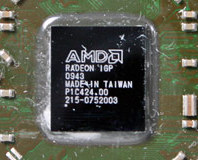
Netbooks are great – well, I think they are – but nobody's ever accused them of being fast in the gaming graphics department, largely down to the common usage of Intel Graphics Media Accelerator GPUs. However, a new package promises to give gamers' netbooks a bit of a boost.
A new tool by Vladimir Plenskiy called
GMABooster – via
jkOnTheRun – promises to unlock the hidden performance of your Intel GMA950 graphics chip on the common 945GM/GME/GMS/GSE and 943/940GML/GU chipsets, without draining your battery too quickly.
The application works by changing the clock speed of the ultra-low voltage version installed into netbooks of 133/166MHz to the standard desktop speed of 400MHz. As the graphics chip is
designed for these speeds, there's little or no risk of anything crashing or overheating – at least, according to the developer.
The application only affects the clock speed, and doesn't change the voltage level – meaning that battery life and heat output shouldn't be affected too much. Ben over at
UMPCPortal ran some tests on two netbooks – the HP Mini 1000 and the Sony Vaio UX180 – and reported a increase in Crystal Mark scores of around 22 percent.
The application is available for both Linux and Windows – and even MacOS X if you've created yourself a little portable hackintosh – and is described by Plenskiy as “
donorware.” Although it's freely to download, the software will stop working after a week – with nothing to stop you re-downloading it and re-installing it should you so choose – unless you donate and receive a serial number.
Even with the GMABooster tool, you're unlikely to be playing
Crysis on your netbook, but it's still a pretty clever hack to squeeze that little bit extra performance out of the miniature marvels.
Tempted to give GMABooster a go on your own netbook, or is overclocking a device that is designed for portability over power perfectly pointless? Share your thoughts over in
the forums.

27 Comments
Discuss in the forums Replytheres got to be a more eficient way of hacking clock speed then installing .net
It's only Windows XP that doesn't come bundled with it. Even ATI Catalyst Control Center requires .NET Framework 2.0 to install and run.
more wow at work :P
As for Catalyst Control Centre, that is not only the most inappropriate example of .NET usage I have seen, but also excellent marketing for ATI Tray Tools - or Nvidia Forceware.
we're all going to die
If you have a netbook with these chipsets this group would probably help you: http://groups.google.com/group/intel9x-gaming?pli=1, but it's mainly for XP and Vista users.
this little mini pci device looks cool http://shop.ebay.co.uk/items/_W0QQLHQ5fPrefLocZ2QQ_dmptZUKQ5fComputingQ5fComputerQ5fComponentsQ5fGraphicsQ5fVideoQ5fTVQ5fCardsQ5fTW?_nkw=pci-e+hd+decoder&_sacat=0&_fromfsb=&_trksid=m270.l1313&_odkw=pcie+hd&_osacat=0
would replace your wifi card though.. but this in a cheap netbook, just use the wired lan and setfsb for the youtube.. I dunno call me crazy but > nvidia ion?
Twice faster pixel shader rendering! Twice faster texture processing! To good to be true... Though this is a well-known german site and I doubt they have been kidding or lying :)
The question is: why has Intel degraded GMA 950 on netbooks? Is it a commercial trick to make netbooks incomparable to even low-end laptops?
Did those guys running @ > 2 GHz, post any temp readings?
Battery life, that is all.
You don't install .NET because it slows down your boot times? And, no offence, but I wouldn't call .NET registry bloat as it actually brings you some nice additions and support for a lot of programs/tools you might find useful.
Running Vista with .NET 3.0 [no SP1 installed yet, thanks to crappy mobile broadband being the most unstable thing since W95A] I can't see it being unstable at all, or booting too slow.
Well, each to his/her own I guess...
here http://forums.msiwind.net/internal-hardware/boost-your-gma-950-speed-166-200-250-400-mhz-t8130-200.html
Edit: I installed it onto an EeePC 1000HA at work and bumped it up to 400 and so far all the hulu issues we were having with the lag at full screen and at 480p and what not is gone so this is great, we had two of these EeePC get returned for the sole reason that they couldnt handle Hulu correctly, I came up with some work arounds to get it working but this way with the booster its sooo much easier, so ya this is awesome. For the hell of it we are going to install WoW onto it, we did that before and in areas with no people we got up to 17fps and in heavy areas 1-2 fps so it will be interesting to see what the difference will be now probably not to much but ehh still should be fun.
huh you think that would work? could be something to consider if you dont need wifi like in a long car ride and wont have access to anything.
Since the trademark of .NET software tends to be extremely slow load times (e.g. Stardock's Impulse initially took more than 10 seconds to start up on a well-specced system) I would always look for an non-.NET alternative that, to be frank, shows more consideration for user time.
And higher resource use? You mean the SuperFetch and that stuff that "uses" your RAM? I thought we finally settled that discussion a long time ago. :p
But I agree with you that it shouldn't be used for system utilities, especially given the download size of new versions and SPs and yes, it should be handled as a crime to install ANYTHING without user consent [listen carefully, Sony!].
3dmark03:
default: 687
400mhz: 595
:?
might be a compatibility issue with windows7 tho
If anyone is so obsessed over performance they should be using DOS. Afterall with Windows you've got numerous copies of C++ libraries (MS VC++ runtime, VC++ 2005 runtime, other compiler's runtimes, the various C runtimes to go with the C++ runtimes, zip libraries, etc. etc.), games users will have 10+ copies of DX libraries and a few copies of 3rd party libraries like Bink. Every large OS is much the same - it's to ensure apps work without requiring all apps work with the very latest version of these libraries. If anything, .NET possibly has a smaller long-term cost since ALL apps use the single shared instance of the Framework rather than having their own copies.
Sure some .NET apps are slow, but that's because the application itself was written wastefully. I can't see a small utility like this bogging down a netbook and making boot times take hours. In fact it improves performance so...
As for slow .NET startup times, that's an unfortunate side-effect of a design decision with .NET. Of course with every price you pay, you get something back - in this case it means theoretically faster run-time performance and lower total RAM usage. Basically .NET apps are compiled to machine code at bootup. This is for two major reasons: 1. The app is then optimised for maximum performance for your specific PC (aka. if you have SSE3 support, SSE3 will be used where possible - even though it wasn't available when the app was first made). 2. It means generic code can be written by the programmer, and then compiled when necessary reducing memory footprint and increasing performance (native code, rather than lots of boxing/unboxing).
I would humbly suggest that if anyone is so scared about something affecting performance, they should go back to an extremely lightweight OS like Linux with command line only, or even DOS. A GUI is far too much overhead and will kill performance due to it's 100s of MB of overhead.
".NET's inclusion by default in Vista is likely to be one of several reasons for Vista's poorer performance and higher resource use compared to Win2K/XP."
If the library isn't being called/used, then it's taking up 0 CPU time and 0 RAM since it's not being used. If I don't use the Calculator in Windows, then it's only cost is the HD space the exe file takes up - the app isn't loaded up so it isn't using CPU time or RAM. Same with the .NET framework - if no apps use it, then by extension there's no way it can do anything but use up HD space.
Launch the Terminal. Do the following:
The views you have espoused simply serve to excuse sloppy, idle and incompetent work by those software developers who persist in thowing unwanted kitchen sinks on users' systems.