Microsoft has confirmed that Windows 7 will have a virtualised Windows XP install available for backwards compatibility.
Windows 7 will be bringing a bit of XP along for the ride with the news that the next-generation operating system from Microsoft will feature a virtualisation layer for maximum backwards compatibility.
As reported over on
CNet, Microsoft has confirmed that Windows 7 will feature a “
Windows XP Mode” designed to ease the transition between the two operating systems – and avoid some of the major backwards compatibility issues that plagued early adopters of Windows Vista.
Based around Microsoft's Virtual PC technologies, the compatibility mode will be an optional – free, thankfully – download for Windows 7 Professional, Enterprise, and Ultimate Edition. Users of other – cheaper – editions of Windows 7 will have to do without the backwards compatibility guarantees offered by such a system.
Microsoft's Scott Woodgate has said in a
post to the Windows Team Blog that the functionality is “
specifically designed to help small businesses move to Windows 7,” explaining why the company has decided to concentrate the technology almost exclusively on the business-oriented editions of Windows 7. Woodgate went on to say that “
Windows XP mode provides [the user] with the flexibility to run many older productivity applications on a Windows 7 based PC.”
Using the compatibility mode – once downloaded – is easy, with Woodgate saying that “
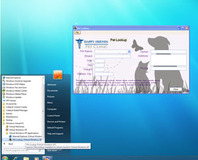
all you need to do is install suitable applications directly in Windows XP mode which is a virtual Windows XP environment running under Windows Virtual PC [and then] the applications will be published to the Windows 7 desktop and then you can run them directly from Windows 7,” just as though they were Windows 7 native.
Although currently released versions of the Windows 7 Beta don't have the Windows XP Mode functionality, Microsoft has stated that a pre-release test version will be made available soon.
Could a virtualised Windows XP environment convince you to upgrade to Windows 7 on release, or should Microsoft just let the old OS die gracefully and convince software developers to embrace the new shiny? Share your thoughts over in
the forums.

To be honest, though - I've not tested a single game on my Vista rig that will run on XP but not on Vista. I have, however, got several Win 98 games that won't run on either of them. Even with compatibility mode.
Because it's only free if you've given them lots of money :p
Think of it as an optional feature of the higher end windows products.
Good ideia M$
This is exactly what I am interested in knowing about, at present virtual pc only provides a emulated
Which works fine for the likes of Red Alert 2, but anything more than that is a no go.
I understand this version of the virtual pc has been tweaked so it is able to interact with win7, however as this compatability mode is more aimed at businesses so my gut feeling is that there wont be many if any changes to the virtual gfx system.
So a relatively easy way of running a modern OS and retaining backwards compatibility? It could only be better with a user self destruct button built in ;)
(Does anyone still run XP because it's 'better for gaming'?)
Yeah, I'm worried about that, too. I don't want much - emulate a 32MB Voodoo5 for all I care (actually, that would be ideal as I've got some games that don't like the AA methods used by ATi/nVidia - there is texture corruption no matter what settings I use - but work fine and look great on a Voodoo5 with 4xFSAA on...) and I don't think I'd believe anyone telling me that modern CPUs/GPUs couldn't emulate a card that old without so much as breaking a sweat. But really, just some basic OpenGL/D3D support would be enough.
I think I saw one of the professional VM programs is going to support OpenGL in their latest release, but can't remember where I read that so it might just be me wishful thinking. And aside from that, I'm not paying a lot for a big VM client when I've got enough old kit lying around to build a Win 98 box. (I just need somewhere to put it... :))
Hm... I wonder if Win 98 would install on an Atom board? Stick my Voodoo5 in the PCI slot on a ribbon cable and get a little PSU for it... build a custom case... I hardly ever installed more than audio+video drivers in the early days on 98. I held the idea of 'hey, if it works without lots of other stuff bloating it down, why not?' :)
myself I like my xp pro just fine and its great for gaming. I also have older software that can't be up
dated for vista and won't work on it and I'm not ready to give up this software. now if this xp mode
turns out to be a good thing I may think about changing to w7. It also depends on the cost of w7 pro
cause they are also forcing most to just upgrade to 7 straight away, will also push other software developers to produce software that is Vista / 7 ready, another possible reason might have to do with the EU, im pretty much sure the EU will have another anti-trust case in the making with MS when they see this ,lol
Didn't Sun add some rudimentary Open GL support in the latest version of VirtualBox? IIRC they're planning full direct 3d support next. Or maybe I'm not getting enough sleep :)
2- It's aimed at businesses
3- You pay less... so now XP license and no special Virtual PC that allows you to do this. However you can still download Virtual PC 2007 and run yoru copy of XP, nothing is stopping you. You just won't be ablt to access USB device and not have a floating window.
Ahhhhhh yes of cause, there is that too, well remembered that man!! :D
Yea VirtualBox has OpenGL support and I think can emulates up to 128MB video ram. I've been testing W7 on VirtualBox and other than the lack of D3D, I think it's better than VPC. It's lets you do multiple save states just like a SNES emulator and saves states way faster than VPC. I can't wait till they support D3D and then I can toss out VPC for good.
I really like the "seamless" mode (activated by the right control key and "L"). I'm running Vista64 with XP32 as a "guest" and it puts the taskbar for XP just above the vista one. Also, when you run an app in XP, i launches in a window that you can move around the Vista desktop, just as if it were running natively in Vista (other than the giveaway XP toolbars ;)). It's a really neat feature that lets you almost forget that you're running one OS virtualised.
Alternatively, fullscreen mode (right control, "F") gives you a standard XP desktop to play with. Can be a bit freaky when you shut the XP "machine" down, only to be reverted to a Vista desktop though :).
Coupled with the ability to mount shared folders in the guest that can be accessed by the native machine, it works beautifully.
With direct3D support, it would be amazing.
But Virtual Pc is a free download from Microsoft anyway. I useit with Vista 64 so that I can still just my older programs on a virtual Win XP set up. Not had any problems.
XP, Win7, Ubuntu, Mac all works perfectly fine on VMware, and with very good graphics acceleration.
Will it create loads of extra processes?
What are the practical implications for someone wanting to use CPU-intensive software, like audio production with tonnes of plugins?
Each virtual machine software has their specialties. This is what I found out by testing them all (well the known ones). Windows runs best with Virtual PC, but lacks graphic acceleration, so you have to pick the one that suit you best. For me I have picked Virtual PC as for one it's free and second I don't need graphic acceleration and third gives the highest performance under Windows 2000 and XP (not 98SE) among Windows. However, Ubuntu for instant is a pain to install and pathetic to run under Virtual PC, so other virtual machines like the one from Sun or VMware is the one to go.
OS I tried:
- Windows 98SE.
- Windows 2000 Professional.
- Windows XP Professional.
- Ubuntu 8.
In my case I have 2 virtual machine software, Virtual Box for Ubuntu and Virtual PC.
that would be nice.. I have the ultimate 64 retail when launched- I even got calls from microsoft about vista early on- like ongoing survey of the userbase.. told them all the issues it had- really not excited about spending hundreds on win 7.. especially when nothing gained for vista ultimate users
the built in vm sounds cool.. most run vm to do that anyways but whatever- it's a feature!
So then the VPC emulates VESA for booting, and switches to an RDP renderer (Basically, a "Remote Desktop" session) in Windows proper. Then you've got full D3D/OpenGL access through the RDP channel, in the same way as you would under "Fast user switching" in XP.
have tryed VirtualPC by Microsoft, isn't a fan of it comparing to Vmware.
Good, because there is nothing really to configure in Vista... I mean other than small things like show file extensions (if you do that), install applications and set the defrag schedule to a more proper time fitting the user schedule.