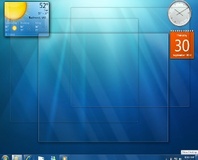
The Windows 7 user interface is still being tweaked for the Release Candidate following feedback from beta testers.
If you want some insight as to what went goes on behind the scenes as Windows 7 makes the progression from private beta to public beta and then to Release Candidate, a
post to the Engineering Windows 7 blog might prove interesting.
Written by Microsoft engineer Chaitanya Sareen, the blog details some of the changes that were made to Windows 7 as a result of feedback from the beta testing process. Some are purely improvements to the user interface, while others represent major shifts from where Windows 7 was originally heading.
From the user interface side, Sareen describes various modifications for the Release Candidate – most of which are designed to improve usability and unify the look and feel across various features. The Aero Peek feature, which allows users to temporarily make a window or windows completely transparent in order to view whatever is hiding behind, has been extended to the ALT+TAB windows-switching shortcut so that pausing while flipping through the list of open applications will render all windows
except the currently selected transparent. The 'needy state' visual – the flashing which occurs on the taskbar to alert you to a window which needs your attention – was tweaked too, with the animation curve being switched from a smooth sine wave to a more attention-grabbing sawtooth and the number of flashes being increased from three to seven. The taskbar has also been improved, with users able to fit at least 24 percent more icons at all resolutions via neat scaling mechanism.
It's not just the visuals that have been tweaked since the betas, however: the functionality for opening programs by using the Windows key plus a number has been made smarter, with the system now able to switch to the application you're requesting should it already be open. Anyone who finds themselves frequently locking their system after a period of idle time will be pleased to hear that a bug which left the locking mechanism unavailable if no screensaver was set has been addressed. The decision to drop the 'High Performance' power profile from the battery pop-up has been reversed too, with Windows 7 now offering the same choice of profiles as Vista.
Anyone that still uses the FAT32 file system will be pleased to hear that the Windows 7 team has gone back on an earlier decision to excise the format from the operating system: whereas beta releases of Windows 7 only supported FAT32 for removable drives, the Release Candidate version supports internal drives in both NTFS and FAT32 formats.
Performance has been tweaked some, too – if you like the speed boost Windows 7 offers you over Vista, you'll be pleased to hear that the final release will be even nippier. Sareen offers the example of Start Menu loading times: whereas the beta offered opening times within the 'acceptable' window of 50-100ms in 85 percent of cases, the latest RC build extends that to 92 percent.
Media Player has had an overhaul, too: the irritating dialogue triggered when a portable media player is connected will no longer interrupt a playing video or audio stream, and support for Internet streaming radio and video content recorded on digital camcorders has been improved. The irritating bug whereby the system wouldn't switch to headphones if they were connected during playback has been sorted too, courtesy of a more robust algorithm.
These are just some of the changes that Sareen outlines in the
blog post, with thirty-six changes being detailed in total. It's clear that even at this late stage Microsoft is listening to feedback, and that Windows 7 still has room for improvement – which the company is certainly taking note of.
Have these changes clinched the deal and convinced you that Windows 7 will be the operating system of choice for your next upgrade, or will it take more than this to convince you that Windows XP has had its day? Share your thoughts over in
the forums.

33 Comments
Discuss in the forums ReplyMS need to convince those people still holding on to XP to upgrade.
besides, why setup from Vista if it's working perfectly fine? same goes for XP. if one is building a new system, then sure, new OS all the way. but on an old machine, why bother?
"if it ain't broken, don't fix it".
I agree with you, wuyankxu. As pretty as it looks, I will probably hold off until I get a complete new system.
You can get a program to do that in Windows - can't for the life of me remember what it's called, but I know it's included in KiteOS, the Windows-to-Mac-alike total conversion thingy
The question, however, is will this program work on Windows 7?
<cue the "Vista has no DRM" proponents> :)
If only my system wasn't slowly dying I could enjoy it even more. :)
On my laptop it is more stable and snappier than XP ever was and that laptop is over 3 years old. I'll be one of the early adopters of 7.
same here.
It runs amazingly on my laptop... I'm just dreading the ammount of money I'll have to drop to get 2 copies of ultimate :(
by the looks of things many of these issues are being addressed for w7 so will defo be giving it a try when the first price drop comes in.
any info on DX11 support and when that will be brought in? is it a release feature or more likely to be SP1?
Also, ditching HAL was weird. stability gains are pretty much non-existent (I couldn't play Fallout 3 on Win7 beta, it just started freezing and giving BSODs after a few minutes), while the performance hit was pretty big (not to mention soundcard issues, network card issues and so on).
Well, XP started being useable after SP2, Vista is still worthless, so W7 should start being even remotely good somewhere around 2013, after the second service pack.
and apple stole MOST of their hardware and their OS from Xerox so whats your point? thats what companies do.
Does the word Beta mean anything to you? or do you expect everything to be perfect from first conception?
I dont think Vista is worthless typically from my experience the peopple that say that Vista turned out to be worthless or a problem well they tend to be the problem not the OS, I have no issues with mine and prefer it over XP.
The point was pretty clear - M$ can't do anything creative, they can only copy. KDE is creative. Apple is creative (and although I feel a very strong dislike towards Apple, i have to admit that most of their design concepts, despite being aimed at idiots and ignorants, are pretty innovative).
What are you talking about? If anything, Vista is W7's beta and it was the first M$ system that dropped HAL. Yeah, the drivers are screwed by nV or ATI, but the performance impact comes directly from the fact that the drivers don't work in kernel space anymore. Maybe they see some logic behind that but I don't, since the stability is not really an issue if devs take some time to write a good driver.
I don't want to start a flame war. You like shiny, transparent windows? Go ahead, your choice.
but no game so far to be seen.may be next year.but we did not have enough directx 10 titles ether.
I will not give up my programs that easily. I like xp pro it works fine with everything I use and as they say if it ain't broke don't fix it.
what programs?
pretty fail if people havent updated their apps to work with an OS thats now been out for 2 years :|
Depends what applications. Some scientific stuff doesn't work outside of 2k, or even the 9x kernel :( Plenty still only use COM ports instead of USB too.
I'm still lost to understand why people think transparency and GPU acceleration is a bad thing.
Other than that there's no logical answer to that, Bindi. :)
As for scientific applications: We had to use an old firmware on a tool to test basic smart card's voltages to be able to get a read out under XP. With newer firmwares it would just crash, but run fine under 2k. :| Scientist are the worst enemies of development sometimes.
The problem is that all software specifically made for a piece of hardware will take more resources to develop on new platforms. Some equipment are also so old that they aren't supported any more. The cost of getting new equipment will always be higher when both nes hardware AND software have to be bought.
All the cool kids write M$, you know!
For me comments loose credibility when they say that Vista (and W7) is only fancy transparent windows and nothing more.
there are programs that wil never work on vista or w7, you can update them till hell freezes over so
please don't go down that road.
I CANT PLAY SYSTEM SHOCK 2 IN VISTA!! :'(
Couldn't agree more.
Same issues for me in W7 and Vista and compatibility with Scientific software/hardware, but won't stop me moving to W7 on my gaming machine. Can't comment on Vista, never changed to it, but one thing is for sure, MS seem to be taking note alot more in user feedback, which can only be a good thing. Really hope they continue this trend with their other software.