Being able to install a basic
Debian shell on your Android smartphone is something only geeks could possibly be interested in – but what about a full GUI?
Ghostwalker of
Android Fanatic – via
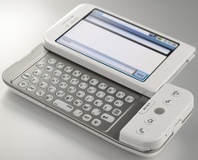
Hack a Day – has posted instructions on how to get a fully-fledged version of the X11 graphical environment running on a T-Mobile G1 smartphone.
The hack uses a rather clever technique for obviating the need to write a custom display driver to run the graphics hardware in the device – instead of displaying the GUI directly, Ghostwalker chose to have the desktop environment running in the background hooked up to a VNC server. To view the GUI, you simply launch a local connection via any of the available VNC viewers for the Android OS.
The how-to guide provided on the site explains how to get the
LXDE desktop environment installed and running. While using a more desktop-oriented system such as KDE or GNOME is possible, the limited power of the hardware on the G1 means it would probably run like treacle on a cold day.
The move opens the Android platform up still further, allowing for
any Linux software to be executed on the device – including, ultimately, games and other packages that rely on a known GUI being installed. Whether you'd want to spend more time in an environment designed for a high-resolution screen and a mouse than in the custom-built smartphone platform originally provided with your handset is questionable – but at least the hack allows for both to be running at the same time, giving you the best of both worlds.
So far the only image of the GUI in action is a rather blurry shot provided by Ghostwalker himself – but the site's forums request other users to perform the hack and provide action shots of their own to encourage others.
Tempted by the thought of a fully-fledged Linux GUI on a smartphone, or is the device too small for anything other than a custom-built user interface? Share your thoughts over in
the forums.










Want to comment? Please log in.