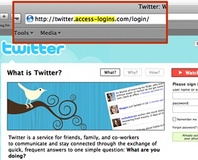
Can you spot the scam? Take the quiz and find out.
Most people have received a scam e-mail in their inbox at one point in time or another but just how good are you at detecting the real scams from genuine e-mails and websites?
McAfee Inc.'s SiteAdvisor service has created a
simple online test to see if you can spot the difference between a genuine website and a fake.
At the end of the quiz, you will be given your results along with a guide to help you better identify any questions that you may have answered wrong.
Just make sure you check out the available larger images or you might just get fooled on a couple of them like I did.
Are you an expert scam detector or did you miss a couple of the questions? Go ahead and make fun of my non-perfect score in the comments below or over
in the forums.

If scammers learnt some grammar we'd all be stuffed though, although the Paypal email was tricky as i couldn't do my usual trick of hovering over the link and seeing where it pointed.
Anyway if that's the worst scammers have got i will sleep easier :)
Also missed that one... 8/10 (didn't know about the The Nigerian 419 scam...)
I used to get the Nigerian scams all the time.
10/10 on my first try. :D
Andy
Also if I get a link in an email to a shopping/banking website then I'll always just type in in the address bar anyway to avoid any problems.
easy peasy.
well done Rich, you must be some kind of Internets genius.
most readers here will get at least 8/10
didnt read the text in any of them, but as my english is pretty bad anyway i wouldnt have picked up on most of the gramatical mistakes.
i tend to rely on logo and web addresses to sort the wheat from the chaff
Rating: Safety Guru
got myspace wrong
well i didnt look at the bits answers showed, i looked for site layout, and type questions asked
Rating: Safety Guru
pew pew.
I feel so ashamed
IMHO, while this is interesting and informative, I'm not sure how accurate it is as a test. How many of those mistakes would you really have caught if you weren't looking for them? To me, the giveaway is the email telling you to follow a link to resubmit your sensitive data, not the appearance of the site itself.
Amazon one I got wrong, but like others said; I usually look at the address first. Q4 I got wrong as well apparently. Looking at the from field is a good way at seeing if it's legitimate. I never said it was full proof though!
Generally, with the account ones I just looked at what info they were asking for. If they want my full address and DOB and mother's maiden name etc. I'm going to be suspicious.
Guess I kinda went on instinct...
But this isn't for nerds, this is for mummy's and daddys who think technology is wireless tv remote.
I got Amazon wrong :(
Amazon also I got wrong as the fake site had all the same links at the bottom as amazon.com has for me when I visit, whereas the real one did not.
The trick is to use EXTREME skepticism. I looked for odd, overly-long URLs, misspellings (yes, scammers from foreign countries sometimes forget their plurals!), and excessive requests for personal info.
i am very proficient in internet(s)
question: all u guys that got 10/10, did u actually noticed the Amazon one or ur just lucky? come on now, spill the truth!! :)
the other one is the last one... the heck... yah i know its not perfect, but NEARLY all security certificate validated by the browser are valid anyway... so of course i pick yes! :p
ps: i finished that test in less than 2 minutes, im in the office right now. thats pretty darn good.
Firstly I know what the amazon login looks like* (new/returning customer) but the biggest give away was the dodgy "Please log in with your username and password !"
the space between 'password' and '!' inparticular.
*if you think about it, why would a scam site want to offer you the chance to sign up on Amazon?
:)
Got the amazon one right, not from random choice.
had to do it twice cos the images stopped loading halfway through and had to do it in ie as it wouldnt work at all in firefox
ironic really as its probably down to noscript blocking the shit out of the site :p
edit: i also picked the correct ones for different reasons
no bank is going to ask you to confirm your identity by having you put in ALL of your details
ie. everything someone needs to buy stuff on your card :\
same with the aol one, yea im really going to give AOL all that personal information :p
In nearly half of those websites, there were NO address bars. Anyone accessing ANY of those sites WILL have that. It isnt fair to show some with it, and others not. Unless your a AOL user with no sense at all. <-- Look at my username, thats what I think of aol.....
I got a 9/10, and the AOL site was "what got me".
I got the Bank of America wrong, Amazon and picked the wrong Nigerian number template.
Bank of america I was not sure about as I have never seen the real site before. There was not much in it to get Amazon wrong.
It would seem that everyone got the same ones wrong.
However, i disagree with them on 1 of the questions
Checking the sender's name is like step #1 - OK the protection isn't great, but it will still filter out 10% of the emails
The other one that i got wrong was the bank of America one, that was pretty tough, but they had stolen the address bar, and Ive never even looked at the bank of America site (being English) so really you could have shown me anything and i wouldn't have known
OFC the best protection for banks and stuff, is simply not to ever put links in emails, if they want to send u a message, you can find the site yourself, links are just too vulnerable
But at least they showed why the fake ones weren't real and I think a few of us learned a few useful tricks :)
People deserve to be scammed if they don't swot up on safety.
I failed on the payPal email. I would rather trust a mail telling me to log in to my account than one that wants me to click a link.
And picking false pages from bad grammar isn't a good way at all IMO, as this can happen even on legit sites.
I always look for pages asking for info there is no reason for them to need.
I don't look for grammatical errors as much as the information they are asking for. You shouldn't have to provide things like your mother's maiden name, etc. - that gave it away for me.
I knew it was that one because of the format of the email/password login bit. with the I am a returning customer etc.
The funny thing is, I looked at the amazon one for a bit and then just ended up guessing. I guessed wrong. :(
it was like, enlarge pictures, glance at them, next picture.