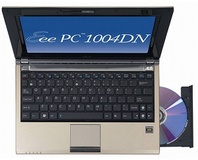
Purchasers of Asus' Eee Box mini-desktop systems got more than they bargained for thanks to a worm living on the D: drive.
Asus has officially confirmed that certain versions of its pint-sized Eee Box desktop PC shipped with a virus on the hard drive's second partition.
The Windows XP-based computers came with a copy of the
W32/Usbalex worm according to an article over on
The Register. By placing an
autorun.inf file on the D: drive, the worm – disguised under the filename of
recycled.exe – is able to get itself automatically executed when a user double-clicks the second partition in My Computer. Once the program is run, it attempts to copy itself to the main system partition and any removable drives currently attached to the system.
While Asus has admitted the existence of the malware-infected units – as confirmed over on
PC Advisor – the problem might not end there. In the Register article, writer Tony Smith goes on to state that a review version of the Eee Box he was sent came with a
different virus –
W32/Taterf, a.k.a.
W32.Gammima.AG – which attempts to steal username and password combinations for popular online games.
Although the possibility exists that the review version held by The Register was infected when in the hands of a previous reviewer – single boxes are often shipped from place to place without being properly cleaned – when taken with the above news that
retail versions were distributed with viruses, it certainly begs the question of what exactly is going on over at Asus HQ.
Have you ever received a nasty surprise on a brand-new piece of computing equipment, or do you wipe new systems clean just to be on the safe side? Share your thoughts over
in the forums.

7 Comments
Discuss in the forums ReplyThis is what, the second of third time Asus screwed up with weird files coming on CDs and HDDs? Its time their quality-control took some decent action.
Even those who do clean installs still run the risk of getting a computer virus. Do you not have to get online to update your OS and antivirus software? In that short amount of time your computer may be even more vulnerable to virus then the factory install, especially if you are installing from OEM disks that are woefully outdated. Even with high speed internet access it takes time to download updates and (in some cases) may involve several reboots and a new connection to the internet in between to get more updates.
there can be the problem when you do an Full product recover from the harddisk (format option or any option) the recovery drive is not wiped cleaned so once the pc has been fully recovered the virus.exe/autorun.ini is left as it is harmless untill you try and click on the d: drive and it is autorun
this problem can happen on acers as well as alot of them have them split 48:48:2 C: OS / D: Data that is not wiped on recover and an Hidden recover partition so it can put an auto run virus onto that drive
and to lordpyrinc comments, XP sp2/SP3 and vista OS 99% of the virus are user fault for running them and ignoring 2 warning on XP and 3 if your useing vista (UAC) asumeing IE7 used and not pressing Ctrl or popup blocker is not turned off
are not protected from anti virus software as thay cant realy be picked up by uptodate antivirus scanners as thay change to offen the problem above has happened most likey due to that the pcs have been passed around (as the news reports that not the same virus and been used by reviewers) Full recovery has been done But that does not reset the recovery drive if it is listed as an drive letter