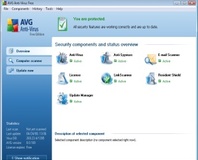
The rather badly implemented LinkScanner feature of AVG 8 has now been fixed, for both free and commercial versions.
A fix has been released for a rather nasty bug in the well-regarded free anti-virus package
AVG 8.
According to
BetaNews, the flaw was in a rather ill-thought out feature new to the version 8 release called 'LinkScanner'. The premise behind LinkScanner was that it would visit each link on a search engine's results page in turn in order to check if any lead to sites you'd be better off not visiting. Sound in principle, but not so hot in execution.
Aside from a sudden jump in bandwidth usage for the end-user, the main problem was 'fake' traffic being generated for websites that didn't come from real visitors. Because every link on a results page gets visited, each one serves up a page – at its own expense – and records a page view; as LinkScanner is an automated system, however, those 'views' never amount to a human actually looking at your page. While the entries in the traffic logs can be
filtered out, that doesn't really help pay for the increase in data transfer costs – and heaven help you if you're running a pay-per-view advertising scheme.
Some groups even stated that, with the right prodding and poking, LinkScanner could form the basis of a denial of service attack against a designated website.
Accordingly, AVG Technologies has published an update for the freeware version of its anti-virus program that nobbles LinkScanner. A similar update for its commercial packages is due some time today. In a statement this weekend Peter Cameron, the Managing Director of AVG Australia and New Zealand, stated that his company is “
totally committed to providing maximum protection for our users and for the Internet eco-system as a whole without causing unnecessary disruption.”
The fix will be automatically downloaded by AVG 8 clients at their next scheduled update, meaning that “
results of this change should be seen by early next week.”
Any AVG 8 users noticed a spike in their bandwidth usage since upgrading, or do you use some other method of virus prevention? Share your thoughts over in
the forums.

Also, I've had AVG tell me that the .exe files of brand new, just-installed-games are infected (and therefore won't let me play the game) when the no-CD version has not been flagged as a virus. Which I found very interesting indeed...
beware of your own arrogance my friend. that's the problem most mac users have! i think it's worth keeping a light avg app at least.
out of interest how does no script and adblock affect your day to day usage of the net? it's something i've been interested in doing
Avast is a waste of time... It never seems to do anything.. And I can't make it do anything.
Aye, that was the only conclusion I could come to as well. DRM = virus. :) Makes me even more adamant that I'm not going to support stuff like that. False positives are a PITA. :(
By its very nature, DRM has to employ similar tricks to a virus, such as hiding and encrypting bits of memory (to make it harder to snoop keys or reverse engineer). The heuristic scanners in AV applications look for this sort of behaviour, so it's no wonder they register false positives. Though, depending on your point of view, flagging some DRM (such as rootkits) might be quite appropriate...
As for Link Scanner, these types of active scanning defenses are well-meaning, but a bad idea in the first place. Sure, there's fake traffic. But it goes deeper. My parent's computer, an older Athlon with 1GB of memory, would choke on a Google search with LS enabled. Turning off LS in the options made AVG scream "You May Not Be Protected!" which for such a minor add-on is not true.
For the hypothetical, imagine if a paedo site googlebombed it's way to the first page of the search results for some innocuous phrase like "cheesecake." Link Scanner would "scan" the site, most likely red-flag it, but your IP would be in the logs as a visitor. Even if you didn't really visit, it'd be hard to prove innocence.
If I revert to AVG 7, will I still be able to get definition updates indefinitely? I'd prefer that feature-set, but don't want to get stuck with outdated definitions.
Just open AVG, disable 'link scanner' and then go to tools/advanced settings - 'ignore faulty conditions' and check button next to link scanner. There shall be no angry icon in the system tray :)
Well, it can't do what I - and I presume other tech savvy people would define as 'clean' - it just deletes the file outright. Which might be a solution... but it is not the right solution.
...
I think I'm gonna install NOD32 this evening, see if I like it.
Ona a different note, whilst I dislike using adblock because that is the only way for many sites to make money, I have had to start using it on my laptop because of all the BFG adverts around bit-tech (and the Curry's ones on Trusted-reviews) because they absolutely hammer it. With two laptop reviews up on TR and 2 other fairly light-weight pages (Google, that kind of thing) it took a good 5 minutes to load the flashblock window :(