If you're a Mac user wanting to get a bit of overclocking action going on your Mac Pro but unsure of how to do it, a new utility released this week offers you the chance of a free speed boost.
According to
ExtremeTech the
utility, developed by ZDNet Germany, offers Mac users the chance to overclock the processor inside their Intel-based Mac Pro series systems without any hardware modification. Called
ZDNet Clock, the utility is similar to overclocking software that has been available for Windows boxes for many years – but marks the first such point-'n-click tool for MacOS users.
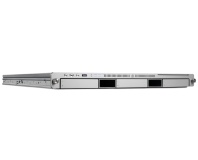
Requiring either a Mac Pro or Apple Xserve running MacOS X Leopard, the tool allows for dynamic overclocking of the processor within the system – without increasing the processor or memory voltages. The results are extremely convincing: the team at ZDNet got the cheapest Mac Pro currently available – equipped with a 2.8GHz processor – to outperform the most expensive 3.2GHz model. The price difference between the two? Over £1,100.
The newly-overclocked Mac Pro, now running at 3.4GHz instead of the default 2.8GHz, was subjected to a prime-numbers based torture test for a full day – with no errors reported. While still likely to invalidate your warranty should something go wrong, that's a fairly good indicator that – like Windows-based overclocking tools – sensible use is unlikely to cause any serious problems.
Perhaps the most interesting feature of the tool is that the overclock, which must be done from within MacOS as the Mac Pro series doesn't feature a user-accessible BIOS like standard Intel-based systems, survives not only a reboot back into MacOS but also a boot into a second operating system via the BootCamp functionality.
While use of the utility is entirely at the readers' own risk, if you're looking to get a little more bang for your buck it's certainly worth a go.
Any Mac users fancy giving the tool a try and reporting benchmark results? Share your experiences over in
the forums.











Want to comment? Please log in.