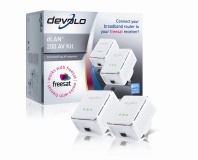
Devices like the PlugLink 9650 may be rendered obsolete when the Homeplug AV II standard is ratified.

Devices like the PlugLink 9650 may be rendered obsolete when the Homeplug AV II standard is ratified.

The Homeplug Powerline Alliance has announced an update to its specification for AV-centric home powerline networking kit, designed to improve speed without sacrificing range.

The Homeplug system is one of several technologies designed to use the electrical wiring that is already threaded throughout your home to as a carrier for network traffic. It's a neat idea, as it means you don't have to mess around drilling holes and punching CAT5e and the very fact that it's wired means you get better coverage and higher security when compared to 802.11 wireless technologies. While early models were limited to very slow speeds – on the order of 14Mb/s, in fact – the current Homeplug AV standard allows for a theoretical maximum of 200Mb/s.

It's not all plain sailing, however – so don't go ditching your Ethernet switches just yet. The main drawback of the system when compared to traditional wired networking is that all the Homeplug devices on a ring act as a hub rather than a switch – this means that the seemingly high 200Mb/s bandwidth is shared between all devices connected to that mains ring.

If you're transferring from one device to another, you'll get full speed – but if a third device is doing something at the same time, the bandwidth is shared and your speed drops dramatically. The problem is inherent in the technology, and while it's unlikely to discourage home users – who are likely to only be using a small number of devices simultaneously – it does hinder adoption of the technology in corporate environments.

According to comments made by president of the Homeplug Alliance Rob Ranck on ExtremeTech, the latest standard – to be called Homeplug AV II, in a startling fit of originality – will be “significantly faster than Homeplug AV as it is today,” although Ranck wasn't being goaded into given hard figures. The specification is expected to be finalised by year end, with sampling of devices incorporating the technology being manufactured some time in 2009.

While greater maximum speeds will alleviate [i]some
of the issues with the technology, the use of a single collision domain will ensure that Homeplug is a consumer-level technology – which, as can be garnered from the name, is fine with the Homeplug Powerline Alliance.

Does anyone here use Ethernet-over-mains bridges, or are we all techy enough that every room in our houses has CAT6 running Gigabit Ethernet? Share your experiences over in the forums.

MSI Wind U100
Quote sandys 28th May 2008, 11:41
Yup using it at home after a sucession of failures at getting a robust wireless solution despite trying all sort of routers and aerials, this Homeplug stuff works a treat. I never see anywhere near the claimed speed but get approx 50Mbits a second which is not too shabby and nothing phases it, its great stuff, my HTPC distributes the DTV streams and other video etc over it to other terminals in the house, wireless couldn't cope with that reliably as the badwidth was never solid enough.
Quote Fod 28th May 2008, 11:45
our new house is getting pretty much gutted and remodelled, so i'm just going to wire up cat6 to every room.

it's cheaper and better!
Quote andyp06 28th May 2008, 12:32
Have had a 3 plug system of the latest 200Mb/s spec after failing to get my 54G wireless system to live with the 8+ other 54G WiFi systems in my neighbourhood. One runs at @86Mb/s & the other at @100Mb/s, so suits the 100Mb/s network it connects to. Overall it is so much better than WiFi, giving a consistent signal & no dropout or range problems. Keeps Wifey happy with her Second Life addiction, so pays for itself with that alone.
Quote mclean007 28th May 2008, 12:45
Anyone rewiring a house would be insane NOT to wire for ethernet. I'd imagine it adds several times its cost to the value of a property. However, it's a pretty big job if you're not remodelling anyway - lifting floors and chasing out channels in walls is hardly a small task. That's the situation I'm in - my flat is quite modern and not in need of refurbishment, but isn't wired for ethernet, so I'm using Homeplug. It is faster and more reliable than trying to use a wireless solution in a block of flats with about 5 others, and it's more than fast enough for sharing ADSL broadband, which is all I (and probably 95%+ of home users) really need it to do. If anyone ever decides to roll out fibre to the home here, then I'll rewire for gigabit ethernet because the Homeplug would become a bottleneck, but until then (or, more realistically, until the sky falls in) I'm set.
Quote yakyb 28th May 2008, 15:44
i think im going to try these out need to get files into my living room and fiance's office but the cost scares me i.e £70 for two just seems extorsionate to me
Quote AcidJiles 28th May 2008, 18:16
Quote:
Originally Posted by yakyb
i think im going to try these out need to get files into my living room and fiance's office but the cost scares me i.e £70 for two just seems extorsionate to me

http://www.hotukdeals.com/item/191104/powerline-homeplug-network-kit-85mb/ only 40 quid here
Quote talladega 28th May 2008, 18:57
i just relocated our modem and router to the basement outside my room and i ran two Cat6 cables to my room. we dont have a gigabit router but when we do i will be ready as i have 2 more cat6 cables for the other computers.

luckily its not too hard to run cables through our house.
Quote superseagull 28th May 2008, 22:57
i recently bought ZyXEL's PLA 400 200Mbps Desktop Homeplug kit (2 units) for just £70 from scan and have them running at 90-100 mbps and ditched the wi-fi cooking my brain! tis the way to go that's for sure ;-)
Quote Woodstock 28th May 2008, 23:22
think ill keep my cat5 and gigabit switch, (run one cable from flamates room where the router is to the switch)
Quote DXR_13KE 28th May 2008, 23:52
i wonder if i could bridge 2 switches with this.....
Quote sandys 29th May 2008, 01:19
Yes you can thats what I do, a switch upstairs and one downstairs linked via my Netgear plugin jobbies.
Log in

You are not logged in, please login with your forum account below. If you don't already have an account please register to start contributing.


Corsair 4gb DDR2 memory

Stats: 0.100 seconds