Microsoft has announced a rather major problem with the
Home Server version of its popular Windows operating system: it seems that it enjoys trashing your files when you run certain programs.
In a
Microsoft KnowledgeBase article Microsoft has admitted that using “
certain programs to edit files on a home computer that uses Windows Home Server, the files may become corrupted when you save them to the home server.”
Now, you'd think that the problem was probably poor interoperability with esoteric third-party software, right? Wrong. The list of software known to cause data-gobbling glitches includes Windows Vista Photo Gallery, Microsoft Office OneNote, Outlook 2007, Microsoft Money, and even the popular SyncToy powertool. Additional problems are caused if you use
Intuit Quicken and
QuickBooks to do your accounts. The finger of data loss has been pointed at
BitTorrent applications, too: not even your Heroes HD collection is safe.
Currently Microsoft has no workaround for the flaw, and recommends ensuring you “
have a backup copy of any important program files before you store these files on a system that is running Windows Home Server.”
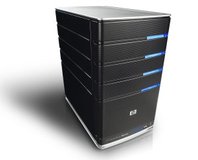
Windows Home Server is pre-installed on home server appliances from companies including
HP,
Life|ware,
Fujitsu-Seimens, and
Velocity. All these systems suffer from the bug, although devices based on earlier versions of the software such as
Windows XP Embedded are thought to be immune.
The cause of the data loss is not currently known, although Microsoft claims to be “
researching this problem.” For now it would certainly seem to be prudent to heed their advice and ensure your backups are up to date, even if you are not currently experiencing any issues.
Anyone use a Windows Home Server system and been bitten by the bug, or has everyone gone over to Linux for their home server needs? Give us a shout via
the forums.











Want to comment? Please log in.