Fallout 3
Publisher: Bethesda
Fallout 3 is the revival of Interplay’s excellent
Fallout series of games following many years out of the limelight. It’s developed and published by Bethesda and, judging by the success of the game, we’ll be seeing more Fallout games in the future.
Despite using the
Oblivion engine which is now a few years old, the game looks absolutely stunning. Bethesda has spiced up the graphics a bit since
Oblivion and has extended the engine – there are some great explosions, soft shadows and smoke effects that are particularly noteworthy.
We tested the game by manually playing a section of the game that incorporates a number of explosions and effects that you’re likely to experience during your time in post-apocalyptic Washington DC. We recorded the frame rate using FRAPS.
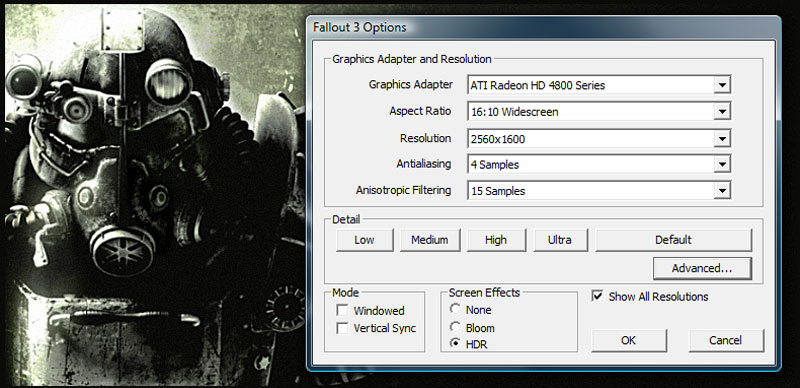
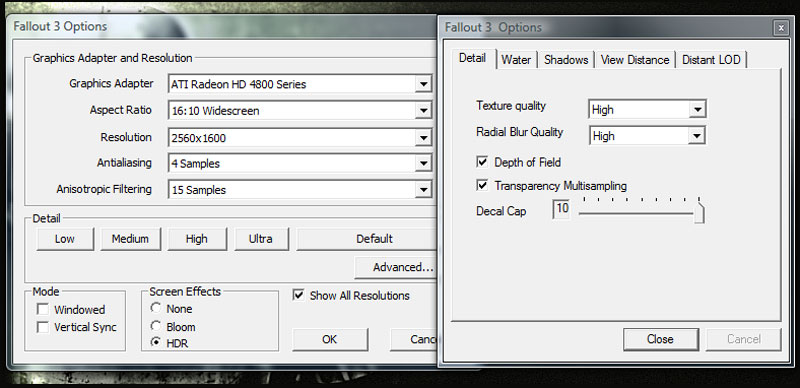
The in-game details were set to their highest values and both anti-aliasing and anisotropic filtering were controlled by the application settings instead of through the driver control panel. This meant that transparency anti-aliasing was enabled, along with HDR and all of the cool smoke effects.
Fallout 3’s engine is by default capped to 60 frames per second, which can make benchmark results very unclear, especially when testing at lower resolutions or with high end graphics cards. To remove the 60fps cap you’ll need to find the Fallout3.ini file in \Documents\My Games\Fallout3 and edit the file so that iPresentInterval=0. This removes the frame rate cap, and allows us to get a much better idea of a card’s abilities.
-
ATI Radeon HD 4870 1GB
-
Gigabyte GeForce GTS 250 1GB
-
Nvidia GeForce GTS 250 512MB
-
ATI Radeon HD 4850 512MB
-
ATI Radeon HD 4770 512MB
-
ATI Radeon HD 4830 512MB
0
10
20
30
40
50
60
70
80
Frames Per Second
-
ATI Radeon HD 4870 1GB
-
ATI Radeon HD 4850 512MB
-
Gigabyte GeForce GTS 250 1GB
-
ATI Radeon HD 4830 512MB
-
ATI Radeon HD 4770 512MB
-
Nvidia GeForce GTS 250 512MB
Frames Per Second
-
ATI Radeon HD 4870 1GB
-
Gigabyte GeForce GTS 250 1GB
-
ATI Radeon HD 4850 512MB
-
Nvidia GeForce GTS 250 512MB
-
ATI Radeon HD 4770 512MB
-
ATI Radeon HD 4830 512MB
Frames Per Second
-
ATI Radeon HD 4870 1GB
-
Gigabyte GeForce GTS 250 1GB
-
ATI Radeon HD 4770 512MB
-
ATI Radeon HD 4850 512MB
-
ATI Radeon HD 4830 512MB
-
Nvidia GeForce GTS 250 512MB
Frames Per Second
-
ATI Radeon HD 4780 1GB
-
Gigabyte GeForce GTS 250 1GB
-
Nvidia GeForce GTS 250 512MB
-
ATI Radeon HD 4850 512MB
-
ATI Radeon HD 4830 512MB
-
ATI Radeon HD 4770 512MB
Frames Per Second
The Gigabyte's extra 512MB of GDDR3 has a huge impact on
Fallout 3 performance and while there's not much difference between a 512MB and a 1GB GTS 250 at 1,650 x 1,050 with 4xAA, upping the resolution or AA soon generates a huge gulf between the two cards. The extra memory translates into an incredible 100 per cent improvement at 1,920 x 1,200 with 8xAA and allows the Gigabyte GeForce GTS 250 1GB to post sizeable improvements at 1,680 x 1,050 with 8xAA and 1,920 x 1,200 4xAA too, making the 1GB GTS 250 a far more attractive proposition for wandering the wastes of post-apocalyptic Washington D.C.
However, once again the marginally more expensive Radeon HD 4870 has the GTS 250 1GB comfortably beaten regardless of resolution or AA levels, by increasingly significant margins as resolution and AA levels rise.










Want to comment? Please log in.