




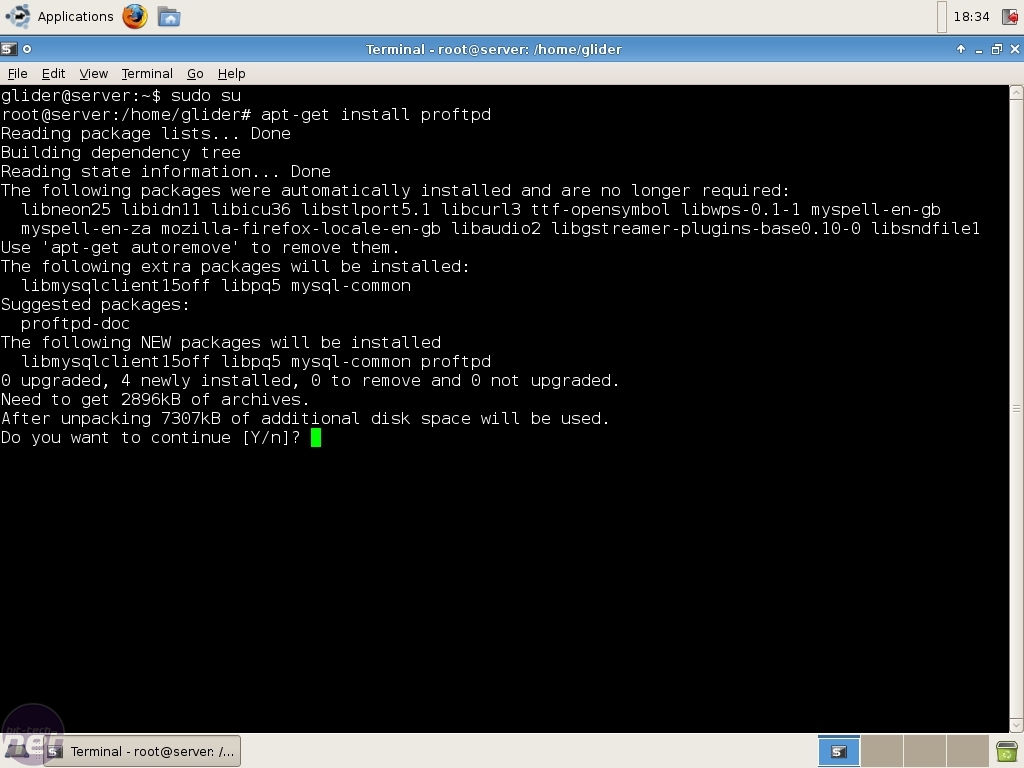
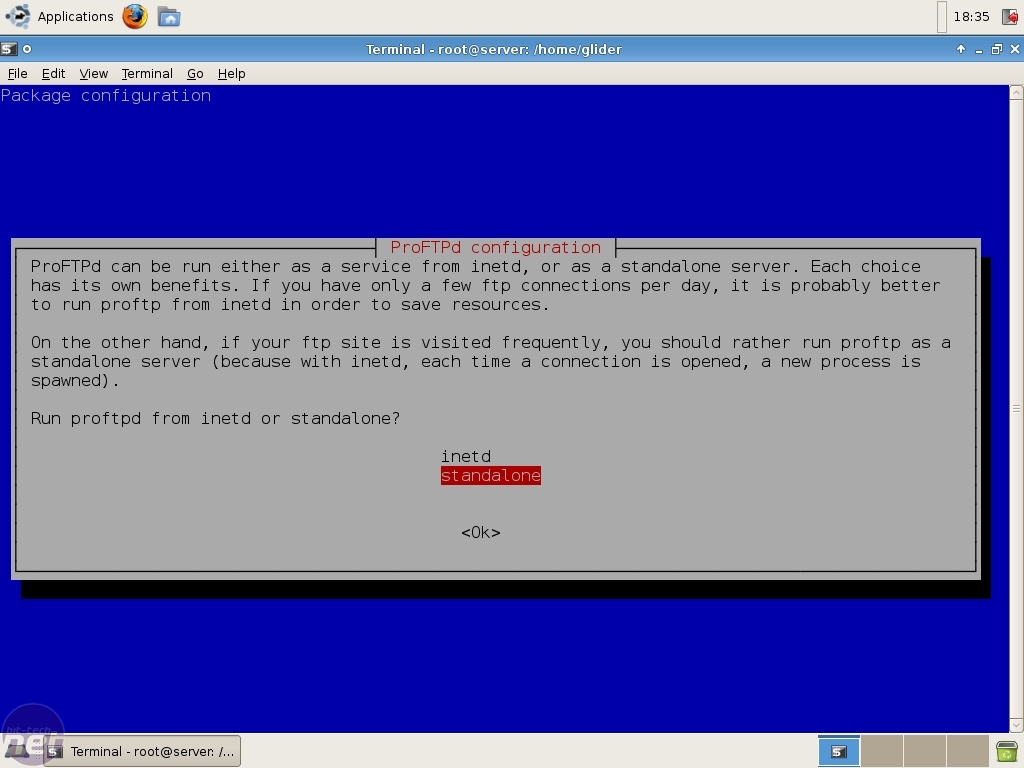
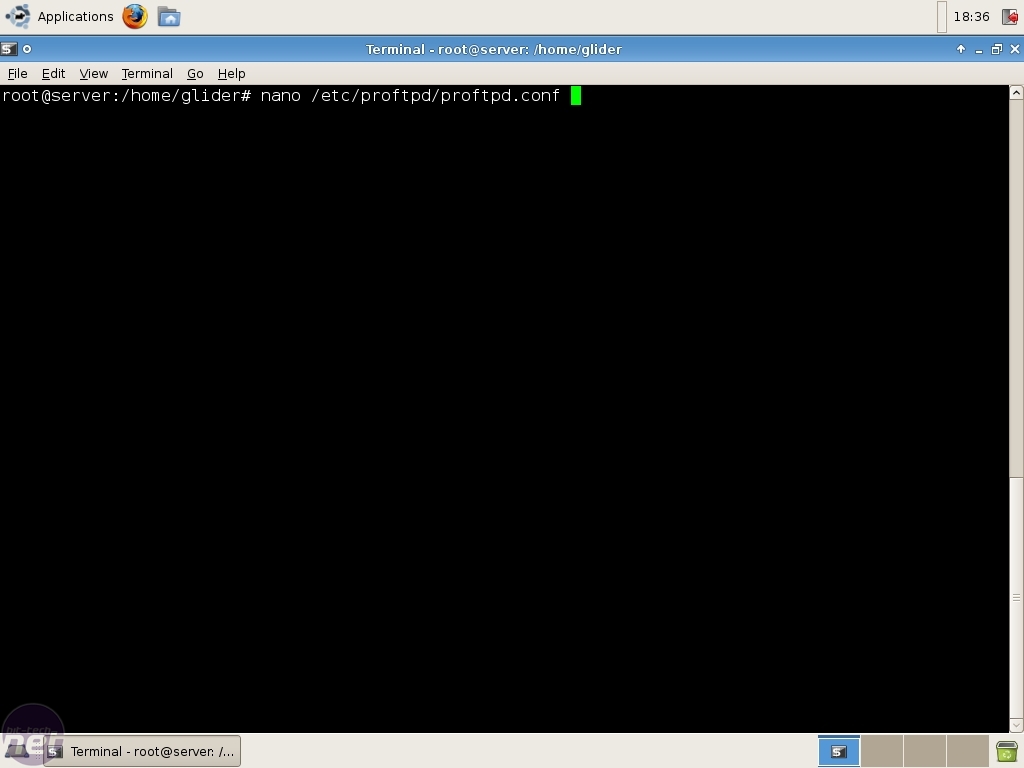

#
# /etc/proftpd.conf -- This is a basic ProFTPD configuration file.
# To really apply changes reload proftpd after modifications.
#

ServerName			"FTP Server"
Serverident                     on "FTP"
ServerType			standalone
DeferWelcome			off
TimesGMT                        off


MultilineRFC2228		on
#DefaultServer			on
ShowSymlinks			on

TimeoutNoTransfer		600
TimeoutStalled			600
TimeoutIdle			1200

DisplayLogin                    welcome.msg
DisplayFirstChdir               .message
ListOptions                	"-l"

DenyFilter			\*.*/

AllowForeignAddress             on
AllowRetrieveRestart            on

# Uncomment this if you are using NIS or LDAP to retrieve passwords:
#PersistentPasswd		off

# Uncomment this if you would use TLS module:
#TLSEngine 			on

# Uncomment this if you would use quota module:
#Quotas				on

# Uncomment this if you would use ratio module:
#Ratios				on

# Port 21 is the standard FTP port.
Port				21
SocketBindTight                 on

PassivePorts                    11000 20000


# To prevent DoS attacks, set the maximum number of child processes
# to 30.  If you need to allow more than 30 concurrent connections
# at once, simply increase this value.  Note that this ONLY works
# in standalone mode, in inetd mode you should use an inetd server
# that allows you to limit maximum number of processes per service
# (such as xinetd)
MaxInstances			30

# Set the user and group that the server normally runs at.
User				nobody
Group				nogroup

# Umask 022 is a good standard umask to prevent new files and dirs
# (second parm) from being group and world writable.
Umask				022  022
# Normally, we want files to be overwriteable.
AllowOverwrite			on

AllowForeignAddress             on
AllowRetrieveRestart            on
AllowStoreRestart on

# Speed up the server, no DNS lookups, just plain ip's. Turn off when being hax0r3d.
UseReverseDNS off
IdentLookups off

DefaultRoot                     ~
ExtendedLog                     /var/log/proftpd.all ALL


# Delay engine reduces impact of the so-called Timing Attack described in
# http://security.lss.hr/index.php?page=details&ID=LSS-2004-10-02
# It is on by default.
DelayEngine 			off

<Anonymous ~ftp>
  User                          ftp
  Group                         nogroup
  UserAlias                     anonymous ftp
  DirFakeUser                   on ftp
  DirFakeGroup                  on ftp
  RequireValidShell             off
  MaxClients                    10
  DisplayLogin                  welcome.msg
  DisplayFirstChdir             .message
  AccessGrantMsg                "Anonymous access granted for user %u connecting."

  MaxClientsPerHost             1

  <Directory>
    #DenyAll
    TransferRate        RETR 50
    <Limit WRITE>
      DenyAll
    </Limit>
  </Directory>




October 14 2021 | 15:04



Want to comment? Please log in.